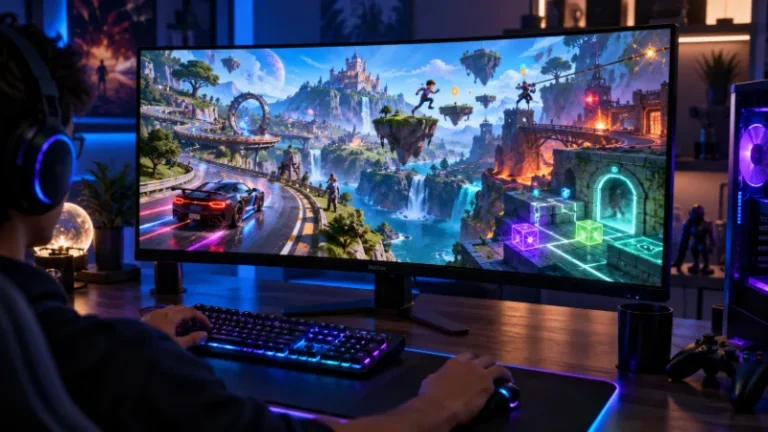

Driving games unblocked are a popular choice for players who want quick browser-based racing, drifting, stunt driving and vehicle challenges without installing a large game.
From realistic drift mechanics to simple one-button road games, there is plenty of variety for casual players and experienced racing fans.
Some of the strongest browser driving games available include Drift Hunters, Drive Mad, Madalin Stunt Cars 2, Moto X3M and Drift Boss.
Modern browser games can offer 3D environments, vehicle physics, upgrades and even multiplayer features without requiring a traditional PC game installation.
Drift Hunters, for example, includes 26 customisable cars and ten locations, while Madalin Stunt Cars 2 provides large stunt maps and online multiplayer.
Players looking specifically for cars can also explore these car games unblocked for more browser-based options. The site’s existing gaming library also covers individual titles such as Drift Boss, Highway Traffic and Wheelie Bike.
Important: Calling a game “unblocked” does not mean it will bypass restrictions placed on a school, college or workplace network. Availability depends on the website, browser, device and network administrator.
Players should only access games where they are permitted to do so.
What Are the Best Driving Games Unblocked?
Here are 15 driving games worth considering for browser play.
| Rank | Game | Driving Style | Difficulty | Recommended For |
| 1 | Drift Hunters | 3D drifting | Medium–Hard | Drift fans |
| 2 | Drive Mad | Physics driving | Medium | Short challenges |
| 3 | Madalin Stunt Cars 2 | Open-world stunts | Easy–Medium | Free driving |
| 4 | Moto X3M | Motorcycle stunts | Medium | Time trials |
| 5 | Highway Traffic | Traffic driving | Medium | High-speed driving |
| 6 | Drift Boss | Precision drifting | Easy–Hard | Quick sessions |
| 7 | Eggy Car | Balance driving | Medium | Casual players |
| 8 | PolyTrack | Time-trial racing | Medium–Hard | Track racing |
| 9 | Traffic Jam 3D | Traffic racing | Medium | Arcade racing |
| 10 | Crazy for Speed | 3D racing | Medium | Speed and stunts |
| 11 | Derby Crash 2 | Demolition driving | Easy–Medium | Vehicle destruction |
| 12 | Top Speed Racing 3D | Street racing | Medium | Car upgrades |
| 13 | Blumgi Rocket | Physics vehicle game | Medium | Puzzle driving |
| 14 | Wheelie Bike | Bike balancing | Medium–Hard | Skill challenges |
| 15 | Car Rush | Arcade racing | Easy–Medium | Casual racing |
1. Drift Hunters
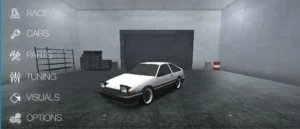
Best for: Drifting and car customisation
Drift Hunters is one of the most complete free browser driving games for players interested in drifting rather than straightforward lap racing.
Instead of simply trying to reach a finish line first, the objective is to maintain controlled drifts and build a higher score. Longer, cleaner slides increase the player’s points, which can then be spent improving vehicles.
There are 26 customisable cars and ten locations, and players can modify elements such as the engine, turbo, gearbox, brakes and vehicle weight. More detailed tuning options allow adjustments to suspension-related settings, brake balance and other characteristics.
How to Play Drift Hunters?:
Choose a starting vehicle and enter one of the available driving locations. Approach a corner with enough speed to break rear traction, then balance steering and acceleration to keep the car sliding.
Long connected drifts generally produce better scores than repeatedly starting and stopping short slides.
Controls:
- WASD or Arrow Keys: Drive and steer
- Space: Handbrake
- C: Change camera
- Left Shift: Gear up
- Left Ctrl: Gear down
Recommended For:
Drift Hunters is recommended for players who enjoy car tuning, realistic-feeling drifting and gradually improving their driving technique.
2. Drive Mad

Best for: Physics-based driving challenges
Drive Mad looks simple, but controlling the vehicle becomes increasingly difficult as each stage introduces ramps, gaps, unusual surfaces and unstable obstacles.
Rather than concentrating on maximum speed, the game makes players think about momentum and vehicle balance. Accelerating too aggressively can flip the vehicle, while moving too cautiously can make certain jumps impossible.
It is one of the better choices for people who want a driving game that combines racing mechanics with a physics puzzle.
How to Play Drive Mad?:
Guide the vehicle from the starting point to the finish without crashing or flipping it. Different stages may require careful acceleration, controlled landings or enough momentum to cross obstacles.
Controls:
- W / Up Arrow: Accelerate
- S / Down Arrow: Brake or reverse
- Touch controls may be available on compatible versions
Recommended For:
Drive Mad suits players who prefer short levels, physics puzzles and challenging vehicle control rather than conventional racing.
3. Madalin Stunt Cars 2
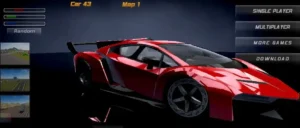
Best for: Open-map driving and huge stunts
Madalin Stunt Cars 2 gives players much more freedom than a traditional racing game. Instead of being restricted to a small circuit, drivers can explore large maps containing ramps, loops and open areas designed for stunts.
There are 34 vehicles available from the beginning, three large maps and an online multiplayer option, making it particularly suitable for players who prefer free-roaming driving.
Players can accelerate to extreme speeds, perform jumps, drift around the maps or simply experiment with different cars.
How to Play Madalin Stunt Cars 2?:
Choose a vehicle and enter a map. There is no requirement to follow a traditional racing line. Players can search for ramps, attempt jumps, practise drifting or enter multiplayer and drive alongside other users.
Controls:
- WASD / Arrow Keys: Drive
- Left Shift: Nitro
- R: Reset vehicle position
- T: Open map
- C: Change camera
- G: Change automatic/manual gearbox
- F: Full-screen mode
Recommended For:
It is ideal for players who enjoy supercars, sandbox environments, multiplayer driving and large stunt ramps.
4. Moto X3M

Best for: Motorcycle stunts
Driving games do not have to involve four wheels. Moto X3M combines motorcycle racing with obstacle courses filled with jumps, traps and opportunities to perform flips.
Speed is important, but maintaining control during jumps is equally critical. A perfectly timed rotation can save time, whereas a poor landing can end a run immediately.
The combination of racing and platform-style obstacles makes Moto X3M considerably different from conventional road racing.
How to Play Moto X3M?:
Race towards the finish as quickly as possible while navigating ramps and hazards. Rotate the motorcycle while airborne to perform flips, but make sure the wheels are positioned correctly before landing.
Controls:
- Up Arrow: Accelerate
- Down Arrow: Brake
- Left/Right Arrows: Rotate the bike
Recommended For:
Moto X3M is recommended for players who enjoy motorcycles, obstacle courses, time trials and stunt-based gameplay.
5. Highway Traffic
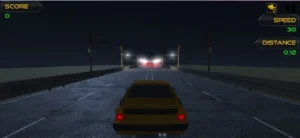
Best for: Weaving through busy roads
Highway Traffic puts the player on a busy road where the challenge is to maintain speed while avoiding surrounding vehicles.
The concept is straightforward, but the difficulty increases quickly when traffic becomes denser. Players must predict gaps rather than simply reacting at the last second.
Anyone who enjoys this type of game can read the dedicated Highway Traffic unblocked guide for more information.
How to Play Highway Traffic?:
Accelerate along the highway while steering around slower vehicles. Keep enough distance to react when traffic lanes become crowded and avoid unnecessary movements at high speed.
Typical Controls:
- W / Up Arrow: Accelerate
- S / Down Arrow: Brake
- A/D or Left/Right Arrows: Steer
Recommended For:
Highway Traffic works particularly well for players who enjoy endless driving, quick reactions and increasingly busy roads.
6. Drift Boss

Best for: Simple one-button driving
Drift Boss demonstrates that a driving game does not need complicated controls to become difficult.
The car travels automatically along a narrow floating road. Players mainly control when the vehicle changes direction, requiring precise timing to stay on the platform.
The straightforward mechanic makes it easy to understand but increasingly difficult as the route becomes more demanding.
A full explanation is available in the Drift Boss unblocked guide.
How to Play Drift Boss?:
Time each turn so the vehicle remains centred on the road. Holding the control changes the car’s direction, while releasing it changes the steering behaviour again.
The challenge comes from anticipating corners before reaching them.
Controls:
- Mouse click / Space / Touch: Control drifting direction
Recommended For:
Drift Boss is excellent for quick gaming sessions, beginners and players who enjoy chasing high scores.
7. Eggy Car

Best for: Vehicle balancing
Eggy Car turns an ordinary drive into a balancing challenge. An egg sits unsecured on top of the vehicle, and the objective is to travel as far as possible without allowing it to fall.
Accelerating too quickly can send the egg backwards. Sudden braking can throw it forwards. Hills make controlling momentum even harder.
The result is a surprisingly tactical driving game where smoothness matters more than raw speed.
How to Play Eggy Car?:
Drive across hills while constantly monitoring the egg. Adjust acceleration and braking gently to prevent sudden changes in momentum.
Collecting useful items along the route can help extend a run.
Controls:
- Right Arrow / D: Accelerate
- Left Arrow / A: Reverse or brake
- Touch controls on supported versions
Recommended For:
Eggy Car is suited to casual players, younger gamers and anyone who enjoys balance-based physics games.
8. PolyTrack
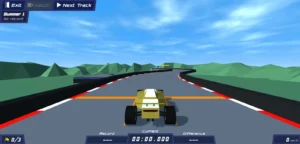
Best for: Fast time-trial racing
PolyTrack takes a more traditional approach to racing. Players tackle compact tracks with jumps, corners and technical sections while attempting to record the fastest possible time.
It is particularly appealing to players who like improving their personal best rather than progressing through an extensive story or campaign.
Small mistakes can cost significant time, encouraging players to learn the fastest route around every section.
How to Play PolyTrack?:
Complete a track as quickly as possible. Learn each corner, reduce unnecessary steering and restart a run when attempting to improve a personal record.
Typical Controls:
- WASD / Arrow Keys: Drive
- R: Restart
- Additional controls can vary depending on the version
Recommended For:
PolyTrack is recommended for time-trial racers, speedrunners and players who enjoy repeatedly perfecting a track.
9. Traffic Jam 3D
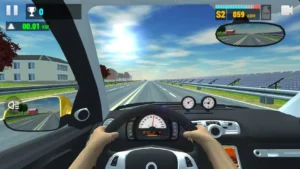
Best for: Fast arcade highway driving
Traffic Jam 3D combines road traffic with arcade-style speed challenges.
Players need to travel quickly while passing surrounding vehicles safely. Different versions or modes may introduce objectives involving distance, time or particular driving conditions.
Unlike a closed circuit, traffic movements can make every journey feel slightly less predictable.
How to Play Traffic Jam 3D?:
Accelerate through traffic and look several vehicles ahead rather than concentrating only on the car immediately in front.
Changing lanes early is generally safer than making a sudden move when a collision becomes unavoidable.
Typical Controls:
- W / Up Arrow: Accelerate
- S / Down Arrow: Brake
- A/D or Left/Right Arrows: Steer
Recommended For:
Traffic Jam 3D is a good choice for players who prefer fast highway driving and traffic-dodging challenges.
10. Crazy for Speed
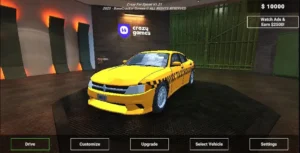
Best for: Racing, police chases and upgrades
Crazy for Speed mixes racing with stunt driving and progression.
Players can earn money, purchase or upgrade vehicles, look for hidden vehicle components and deal with police cars while exploring the available tracks. It can be played alone, while multiplayer functionality is also available.
The combination of progression and free driving gives the player more to work towards than simply achieving one high score.
How to Play Crazy for Speed?:
Drive around the available environment, complete activities and collect rewards. Money earned through gameplay can be used to improve the garage and access better-performing vehicles.
Controls:
- W / Up Arrow: Accelerate
- S / Down Arrow: Brake/reverse
- A / Left Arrow: Turn left
- D / Right Arrow: Turn right
- R: Reset
- C: Change camera
- M: Map
Recommended For:
Crazy for Speed works well for players interested in vehicle upgrades, stunt driving, police chases and open-ended racing.
11. Derby Crash 2
Best for: Demolition driving
Not every driving game rewards keeping a vehicle spotless.
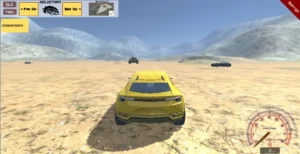
Derby Crash 2 encourages players to drive aggressively, crash vehicles and cause destruction.
Alongside sports cars, the game includes unusual vehicles such as a battle tank with a functional turret and cannon. Single-player and multiplayer gameplay are available.
The focus on vehicle damage makes it very different from precision racers such as PolyTrack.
How to Play Derby Crash 2?:
Choose a vehicle and explore the arena while attempting jumps, crashes and collisions. Players can reset or repair vehicles when needed before continuing.
Controls:
- WASD / Arrow Keys: Drive
- Space: Handbrake
- C: Change camera
- Enter: Reset vehicle
- R: Repair vehicle
Recommended For:
Derby Crash 2 is recommended for people who enjoy demolition derbies, vehicle damage and sandbox-style driving.
12. Top Speed Racing 3D

Best for: Street racing and vehicle progression
Top Speed Racing 3D combines racing, free driving and vehicle improvement.
Instead of providing only one vehicle and one track, this style of game typically encourages players to earn rewards, improve performance and experiment with faster cars as they progress.
Stunts and drifting also give players something to do away from straightforward races.
How to Play Top Speed Racing 3D?:
Explore the driving area, complete racing activities and earn resources for improvements. Learn how each vehicle responds before attempting faster runs or more complicated stunts.
Typical Controls:
- WASD / Arrow Keys: Drive
- Space: Handbrake
- Additional keys may control nitro or camera options depending on the version
Recommended For:
It suits players who enjoy street racing, vehicle upgrades, drifting and gradually unlocking more powerful cars.
13. Blumgi Rocket

Best for: Unusual physics driving
Blumgi Rocket is less about realistic motoring and more about using a small vehicle to overcome unusual platform-like environments.
The rocket-powered car can launch itself through difficult sections, turning each stage into a mixture of driving and physics problem-solving.
There is also a dedicated guide covering Blumgi Rocket unblocked for players interested in this unusual vehicle game.
How to Play Blumgi Rocket?:
Drive towards each obstacle and use the vehicle’s rocket ability at the correct moment. Some sections require speed, while others demand accurate timing.
Repeated attempts are part of the experience because players often need to understand an obstacle before finding the right approach.
Controls:
Controls vary by browser version but normally use keyboard or touch inputs for movement and the rocket boost.
Recommended For:
Blumgi Rocket is best for players who enjoy physics puzzles, unusual vehicles and short level-based challenges.
14. Wheelie Bike
Best for: Balance and precision
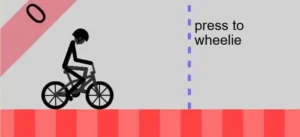
Wheelie Bike replaces high-speed racing with a simple challenge: keep the bike’s front wheel off the ground for as long as possible.
It sounds straightforward until the player needs to maintain the correct angle over changing terrain.
Small mistakes are enough to end a run, which makes the game strongly focused on timing and muscle memory.
Players wanting more details can see the Wheelie Bike unblocked guide.
How to Play Wheelie Bike?:
Begin moving and raise the front wheel, then make small adjustments to prevent the rider from tipping too far forwards or backwards.
Trying to make large corrections usually causes a crash, so subtle movement is important.
Controls:
- Mouse / Touch / Keyboard input: Maintain the wheelie
- Exact controls depend on the hosted version
Recommended For:
Wheelie Bike is ideal for players who enjoy high-score challenges, simple controls and difficult balancing mechanics.
15. Car Rush

Best for: Straightforward arcade racing
Car Rush is a good final choice for players who want a more traditional arcade driving experience without complicated tuning systems or advanced physics.
The objective is generally simple: drive quickly, avoid obstacles and reach the next section before running out of time.
That accessibility makes it useful for players who want a game they can understand within seconds.
How to Play Car Rush?:
Stay on the road, avoid other vehicles and obstacles, and maintain enough speed to reach checkpoints before the timer expires.
As stages become faster, looking further down the road becomes increasingly important.
Typical Controls:
- Up Arrow: Accelerate
- Down Arrow: Brake
- Left/Right Arrows: Steer
Recommended For:
Car Rush is recommended for beginners, casual racing fans and anyone looking for uncomplicated arcade driving.
Which Unblocked Driving Game Should You Play?
The right game depends on the type of driving experience a player wants.
For real drifting, Drift Hunters is the strongest choice because its scoring, tuning and vehicle progression give players plenty to master.
For open-world stunt driving, Madalin Stunt Cars 2 provides considerably more freedom, including large maps and multiplayer functionality.
Players who prefer short challenges should consider Drive Mad, while Drift Boss works particularly well when only a few minutes are available.
Those interested in motorcycle gameplay can choose Moto X3M for stunts or Wheelie Bike for a pure balancing challenge.
What Makes a Good Browser Driving Game?
A good browser driving game does not necessarily need realistic graphics. Responsive controls and satisfying vehicle behaviour are normally more important.
The strongest games tend to offer several of these features:
- Responsive steering: The vehicle should react predictably.
- Good physics: Acceleration, jumps and drifting should feel consistent.
- Fast loading: Browser games should be easy to start.
- Replayability: High scores, better times or upgrades provide reasons to return.
- Varied challenges: Different tracks or objectives prevent repetition.
- Simple controls: Players should be able to understand the basics quickly.
- Progression: Unlockable vehicles or upgrades add longer-term objectives.
Modern browser technology allows surprisingly sophisticated 3D driving games to operate without traditional game installations. Titles such as Drift Hunters and Madalin Stunt Cars 2 demonstrate how far browser-based driving games have developed.
Can Driving Games Unblocked Be Played on a Chromebook?
Many lightweight HTML5 browser driving games can run on Chromebooks because they operate directly through modern web browsers.
Games such as Drive Mad, Drift Boss and similar simple physics titles generally require fewer resources than detailed 3D games.
More demanding games may perform differently depending on the Chromebook’s processor, graphics capability, available memory and browser configuration.
Whether the gaming website itself is accessible is a separate matter. School or workplace administrators may restrict gaming websites, and players should respect those network policies rather than attempting to bypass them.
Can Unblocked Driving Games Be Played on Mobile?
Some can.
Simple games such as Drift Boss and Eggy Car translate particularly well to touchscreen devices because they require only a small number of controls.
More complicated 3D games often work better with a physical keyboard because precise steering, braking, camera control and handbrake inputs are easier to manage.
Players should therefore check whether the individual game offers mobile controls before starting.
Are Unblocked Driving Games Free?
Many browser driving games are free to play, although this does not mean every version on every website will operate in exactly the same way.
A website may fund a free game through advertising, while another platform may offer optional purchases or additional features. Players should check the platform’s terms before making purchases or creating an account.
Do Browser Driving Games Need to Be Downloaded?
Many modern browser driving games run directly inside Chrome, Edge, Firefox, Safari or another compatible browser.
That means a traditional Windows or macOS installation is often unnecessary.
However, players should distinguish between the browser version of a game and similarly named mobile or desktop applications. A particular title can sometimes exist in several formats.
Are Unblocked Driving Game Websites Safe?
Safety depends largely on where the game is hosted.
Players should favour established gaming websites and avoid pages that unexpectedly request software installations, browser extensions or unnecessary personal information.
A genuine browser game normally should not require a player to disable security software or download an unknown executable file simply to start playing.
Younger players should also follow school or household internet rules and ask a parent, guardian or teacher when unsure about a website.
Final Thoughts
Driving games unblocked cover far more than traditional car racing.
Players can practise controlled slides in Drift Hunters, tackle unpredictable physics in Drive Mad, explore stunt maps in Madalin Stunt Cars 2, weave through vehicles in Highway Traffic, or test precision with Drift Boss.
For the widest range of gameplay, Drift Hunters is one of the strongest all-round choices, while Drive Mad is better suited to short physics challenges and Madalin Stunt Cars 2 offers greater freedom for players who simply want to explore and perform stunts.
Anyone looking beyond driving games can also browse these cool unblocked games for more browser-based options.
FAQs
What is the best driving game unblocked?
Drift Hunters is one of the strongest choices for players who want detailed drifting, vehicle upgrades and multiple driving locations. Drive Mad is better for shorter physics-based levels.
What is the easiest unblocked car game to play?
Drift Boss is one of the easiest to understand because it uses extremely simple controls. However, achieving a high score becomes increasingly difficult.
Which driving game is best for drifting?
Drift Hunters is particularly well suited to drifting because the main progression system rewards sustained slides and allows players to tune their vehicles.
Which browser driving game has multiplayer?
Madalin Stunt Cars 2 includes online multiplayer alongside its single-player free-driving mode.
What driving game is good for short breaks?
Drift Boss, Drive Mad and Eggy Car are good choices because individual attempts or stages can be completed relatively quickly.
Can driving games be played without Flash?
Yes. Many current browser games use HTML5, WebGL or related browser technologies rather than Adobe Flash, which reached end-of-life in 2020.
Why might an unblocked driving game not open?
Possible reasons include network filtering, browser compatibility, website downtime, disabled browser features or device limitations. Players should follow the access policies set by their school, workplace or network administrator.