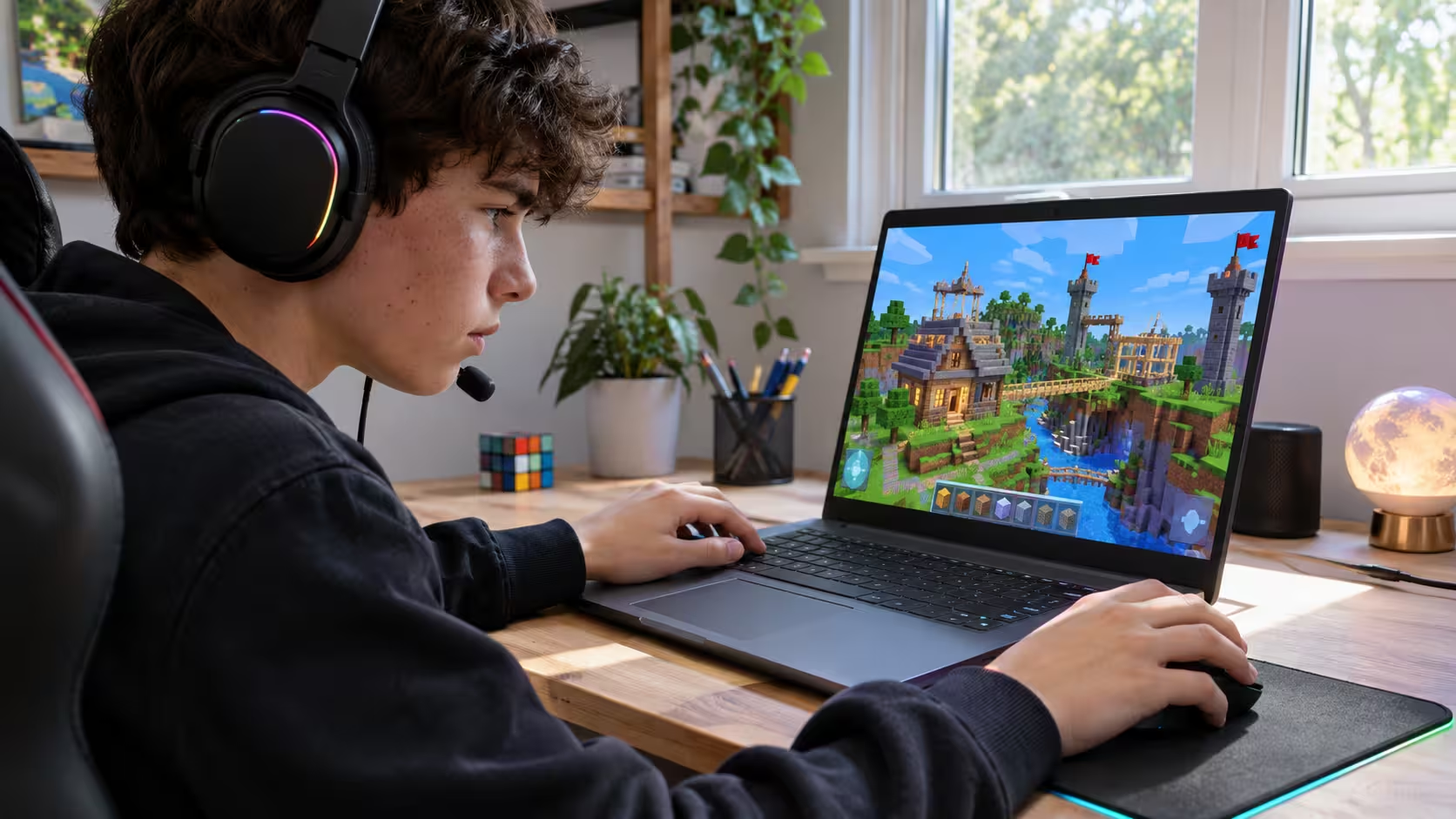
Building games unblocked offer an entertaining way to design houses, construct cities, explore virtual worlds, gather resources and develop impressive structures directly through a web browser.
Unlike traditional video games that require players to follow predefined objectives, many building games provide creative freedom, allowing gamers to experiment with different materials, construction techniques and architectural designs.
From constructing block-based environments in Minecraft Classic to developing futuristic space colonies in The Final Earth 2, players can choose from several games based on their interests and preferred difficulty levels.
Many browser-based building games are free to play and do not require software installation. However, accessibility depends on device compatibility and network restrictions.
Our selection of the top 10 building games unblocked considers gameplay variety, creative freedom, construction mechanics, controls and accessibility for beginners.
What Are Building Games Unblocked?
Building games unblocked are browser-based video games that allow players to create, construct, modify and manage virtual environments without necessarily downloading dedicated gaming software.
These games typically feature different construction activities, including:
- Building houses, castles and skyscrapers.
- Designing cities and residential communities.
- Collecting materials and crafting useful items.
- Constructing defensive structures.
- Developing survival shelters.
- Managing resources and expanding settlements.
- Creating customised virtual worlds.
Some building games focus entirely on creativity, while others incorporate survival challenges, multiplayer competitions, economic management and strategic combat.
Players who enjoy exploring different virtual environments can also find similar experiences among popular IO unblocked games, which include several multiplayer construction and sandbox titles.
What Are the Top 10 Building Games Unblocked to Play Online?
The following building games offer a combination of creative construction, resource management, architectural design and strategic gameplay.
| Game | Game type | Difficulty | Best suited for |
| Minecraft Classic | Sandbox | Easy | Creative construction |
| Bloxd.io | Multiplayer sandbox | Easy to moderate | Building with friends |
| BuildNow GG | Building and combat | Moderate to hard | Competitive gamers |
| Vectaria.io | Survival and sandbox | Moderate | Exploration and crafting |
| Build and Crush | Construction and destruction | Easy | Creative experimentation |
| Mine Blocks | 2D sandbox | Moderate | Mining and crafting |
| Craft World | Construction simulator | Easy | House design |
| Townscaper | Creative town building | Easy | Relaxing gameplay |
| Stack City | City management | Easy to moderate | Economic development |
| The Final Earth 2 | Colony simulation | Moderate | Strategic city planning |
1. Minecraft Classic
Minecraft Classic is a browser-based recreation of the original Minecraft experience, allowing players to construct buildings, modify landscapes and explore a three-dimensional block-based world.
The game provides access to 32 original block types, giving players an opportunity to experiment with different construction materials and develop customised environments.
Unlike modern Minecraft survival modes, Minecraft Classic primarily concentrates on creative building rather than hunger management, crafting progression or combat challenges.
Players can construct everything from small houses and underground tunnels to bridges, castles and large architectural projects.
The official Minecraft Classic browser game is available free of charge and requires a compatible browser and keyboard.
Players looking for additional versions and gameplay options can explore Minecraft unblocked.
How to Play: Enter a username, generate a virtual world and select blocks from the available building menu. Explore the environment, remove unwanted blocks and place new materials to construct your preferred structures.
Rules:
- Use available blocks to construct customised buildings.
- Remove unwanted blocks to modify the landscape.
- Select appropriate materials for different structures.
- Experiment with different construction techniques.
- Develop your virtual world without compulsory survival objectives.
Controls:
- WASD to move the character.
- Spacebar to jump.
- Mouse to look around.
- Left-click to place or remove blocks, depending on the selected mode.
- Right-click to switch between placing and removing blocks.
- B to open the block selection menu.
- Esc to access the game menu.
Recommended For: Minecraft fans, creative gamers, architectural enthusiasts and players who enjoy unrestricted sandbox construction.
2. Bloxd.io
Bloxd.io is a multiplayer sandbox game that combines Minecraft-inspired construction mechanics with exploration, resource gathering, parkour challenges and competitive gameplay.
The game features several modes, including Creative, Survival, Peaceful, DoodleCube and Bedwars, allowing players to experience different forms of block-based gameplay.
Creative modes are particularly suitable for players who want to construct impressive buildings without constantly managing survival challenges.
Competitive modes introduce additional objectives, such as protecting structures, completing building challenges and competing against other players.
DoodleCube adds an interesting creative element by allowing participants to construct objects according to a particular theme.
The variety of game modes makes Bloxd.io an appealing choice for players who enjoy both construction and multiplayer interaction.
How to Play: Choose a game mode and join an available world. Gather or select building materials, explore your surroundings and construct structures according to the objectives of your chosen mode.
Rules:
- Follow the objectives of the selected game mode.
- Collect resources when playing survival-based modes.
- Use available blocks to construct buildings and platforms.
- Complete themed construction challenges in DoodleCube.
- Protect important structures in competitive modes.
- Respect other players’ creations and multiplayer rules.
Controls:
- WASD to move.
- Spacebar to jump.
- Shift or double-tap W to sprint.
- Right-click to place blocks in DoodleCube.
- Left-click to remove blocks in DoodleCube.
- Number keys to select blocks.
- T or Enter to open chat.
- O to access the menu.
Recommended For: Multiplayer gamers, Minecraft enthusiasts, creative builders and players who enjoy competing against friends.
3. BuildNow GG
BuildNow GG is a competitive building and shooting game that combines rapid construction with third-person combat mechanics.
Unlike traditional building games that focus on architectural design, BuildNow GG requires players to construct protective structures quickly while competing against opponents.
Players can create walls, floors, ramps and roofs to defend themselves, gain advantageous positions and improve their movement during matches.
The game includes Freebuild, BoxFight, V-Arena, Zone Wars and Aim Training modes, offering different opportunities to practise construction and combat skills.
Freebuild is particularly useful for beginners who want to become familiar with building controls before entering more competitive matches.
Understanding the construction mechanics is essential when playing Build Now GG unblocked, as effective defensive structures can significantly influence match outcomes.
How to Play: Select a game mode and enter the arena. Construct defensive structures, practise editing walls and ramps, and compete against opponents when playing combat-focused modes.
Rules:
- Construct walls and ramps to protect your character.
- Use available building pieces strategically.
- Edit existing structures to improve movement.
- Balance construction with offensive and defensive gameplay.
- Eliminate opponents or survive according to the selected mode.
- Follow the specific objectives of each match.
Controls:
- WASD or arrow keys to move.
- Spacebar to jump.
- Q to build a wall.
- C to construct a floor.
- V to build a ramp.
- Left Shift to construct a roof.
- F to edit structures.
- Left-click to fire.
- Right-click to aim or reset an edit, depending on the selected action.
Recommended For: Competitive gamers, Fortnite fans and players who enjoy fast-paced construction combined with action gameplay.
4. Vectaria.io
Vectaria.io is a multiplayer sandbox adventure game that allows players to explore block-based environments, collect resources, construct buildings and interact with other players.
The game combines creative construction with survival mechanics, giving players different ways to develop their virtual worlds.
Players can gather materials, craft useful equipment and construct shelters to protect themselves while exploring unfamiliar environments.
Creative building options allow players to concentrate on architectural projects, while survival-focused gameplay introduces resource management and additional challenges.
The ability to play alongside friends makes Vectaria.io particularly appealing to gamers who prefer collaborative construction projects.
Its Minecraft-inspired gameplay is also suitable for players familiar with browser-based sandbox experiences such as Eaglercraft unblocked.
How to Play: Choose an available character and game mode before entering the virtual world. Collect building materials, manage your inventory and construct structures while exploring the environment.
Rules:
- Gather resources to support construction.
- Build shelters and other useful structures.
- Manage inventory and equipment effectively.
- Protect your character in survival-oriented modes.
- Cooperate with other players when appropriate.
- Follow the rules of the selected multiplayer environment.
Controls:
- WASD or arrow keys to move.
- Spacebar to jump.
- Left-click to mine or attack.
- Right-click to place blocks.
- X or U to open inventory.
- G to access the home menu.
- M to view spawn points.
- I to open the gameplay guide.
- Enter to use chat.
Recommended For: Survival gamers, multiplayer builders, exploration enthusiasts and players who enjoy collecting and crafting resources.
5. Build and Crush
Build and Crush is a creative sandbox game that allows players to construct customised structures and experiment with their destruction.
The game combines two contrasting gameplay experiences, giving players the freedom to develop impressive buildings before testing how those structures respond to different destructive tools.
In building mode, players can use blocks to construct houses, towers, walls and other imaginative designs.
Crush mode introduces a different challenge, allowing players to interact with existing creations and observe how their structures break apart.
This combination of construction and destruction makes the game particularly entertaining for players who enjoy experimenting with virtual environments rather than following conventional level-based objectives.
Players can also use different construction approaches to explore how the shape and arrangement of blocks influence a design.
How to Play: Enter Build mode, select construction materials and create your preferred structure. Switch to Crush mode when you want to experiment with destroying virtual creations using the available in-game tools.
Rules:
- Select appropriate blocks for construction.
- Arrange blocks to create customised structures.
- Remove misplaced materials when necessary.
- Use the available tools in Crush mode.
- Experiment with different building designs.
- Follow multiplayer objectives when applicable.
Controls:
- WASD to move.
- Mouse to change the viewing direction.
- Spacebar and Shift to move vertically when flying.
- Left-click to remove blocks in Build mode.
- Right-click to place blocks.
- Mouse to select destruction tools in Crush mode.
- F to activate free flight in supported modes.
Recommended For: Creative gamers, sandbox enthusiasts and players who enjoy experimenting with construction and destruction mechanics.
6. Mine Blocks
Mine Blocks is a two-dimensional sandbox building game that combines pixel-based construction with exploration, resource gathering and survival gameplay.
The game draws inspiration from Minecraft but presents its virtual environment through a side-scrolling perspective, creating a distinctive building experience.
Players can explore underground areas, collect minerals, craft equipment and construct shelters using different materials.
Survival mode encourages players to manage resources carefully while dealing with environmental challenges and hostile creatures.
Creative mode provides greater flexibility for players who prefer designing buildings without concentrating on survival requirements.
The combination of construction and resource progression makes Mine Blocks appealing to gamers who enjoy gradually developing their virtual environments.
How to Play: Select Creative or Survival mode and enter the generated world. Gather resources by mining blocks, craft useful equipment and place construction materials to develop shelters and other structures.
Rules:
- Collect materials before beginning construction in Survival mode.
- Use suitable tools for mining different resources.
- Craft equipment to improve resource collection.
- Construct shelters to protect your character.
- Monitor health and survival requirements.
- Experiment with different architectural designs in Creative mode.
Controls:
- WASD to move and jump.
- Double-tap A or D to sprint.
- Left-click and hold to collect resources.
- Right-click to place selected blocks.
- E to open inventory.
- Right-click and hold to use certain items.
- Mouse to select crafting materials and equipment.
Recommended For: Pixel-game enthusiasts, Minecraft fans and players who enjoy combining survival, crafting and construction.
7. Craft World
Craft World is a three-dimensional construction simulator that focuses on creative building, house design and interior decoration.
The game allows players to construct customised environments using more than 300 different blocks, providing considerable variety when developing architectural projects.
Unlike competitive survival games, Craft World primarily encourages players to concentrate on construction and personal creativity.
Players can design houses, arrange furniture, decorate rooms and experiment with different architectural styles.
The availability of decorative items makes Craft World particularly suitable for gamers who enjoy designing realistic residential spaces rather than simply constructing basic block structures.
Its straightforward gameplay also makes it accessible to beginners who want to develop their construction skills.
How to Play: Enter the virtual environment, explore the available construction materials and select blocks from your inventory. Build foundations, walls and roofs before adding furniture and decorative features to complete your design.
Rules:
- Select appropriate materials for each building.
- Arrange blocks according to your preferred design.
- Remove incorrectly positioned blocks.
- Decorate interiors using available furniture.
- Experiment with colours and architectural styles.
- Develop customised structures at your own pace.
Controls:
- WASD or arrow keys to move.
- Left-click to remove or mine blocks.
- Right-click to place blocks.
- Q to open inventory.
- E to perform an available action.
- F to activate flight mode.
- R to change camera perspective.
- H to hide the interface.
- P to pause the game.
Recommended For: House-building enthusiasts, interior design fans, creative gamers and players who prefer relaxing construction activities.
8. Townscaper
Townscaper is a relaxing town-building game that allows players to construct colourful coastal settlements, islands and architectural environments.
The game uses procedural construction mechanics, meaning that placing blocks in different positions can automatically generate features such as rooftops, stairways, arches and interconnected buildings.
Unlike conventional city-building simulators, Townscaper does not require players to manage taxes, maintain public services or achieve specific economic objectives.
Instead, its primary focus is creative freedom and visual experimentation.
Players can construct small waterfront villages, colourful residential districts, large towers and interconnected island communities using straightforward controls.
The official Townscaper browser demo provides an opportunity to experience the game’s core construction mechanics without purchasing the full version.
How to Play: Select a building colour and click an available construction position. Add blocks horizontally or vertically and observe how the game automatically generates architectural features based on their arrangement.
Rules:
- Place blocks within the available construction area.
- Select different colours to customise buildings.
- Expand structures horizontally or vertically.
- Remove unwanted sections to modify designs.
- Experiment with different block arrangements.
- Build freely without compulsory scoring objectives.
Controls:
- Left-click to add construction blocks.
- Right-click to remove blocks.
- Mouse to select building colours.
- Mouse drag to adjust the camera view.
- Scroll wheel to zoom in or out.
Recommended For: Casual gamers, architectural design enthusiasts and players who enjoy peaceful, non-competitive construction experiences.
9. Stack City
Stack City is a city-building and economic simulation game that challenges players to develop a growing urban environment by stacking and merging construction elements.
The game combines straightforward drag-and-drop mechanics with strategic planning, encouraging players to use available building space efficiently.
Players begin with limited construction opportunities and gradually develop taller structures that generate income.
The money earned from completed buildings can be used to purchase additional construction materials and expand into new areas.
Certain construction spaces have colour restrictions, requiring players to consider where different building elements can be positioned.
This combination of construction, revenue generation and spatial management makes Stack City an entertaining option for players who enjoy gradual progression.
How to Play: Drag available construction elements onto the building grid. Stack compatible materials to create larger structures, collect generated income and use your earnings to purchase more materials and expand the city.
Rules:
- Place construction elements within available grid spaces.
- Follow colour restrictions on designated squares.
- Stack compatible construction materials.
- Generate income through completed buildings.
- Reinvest earnings into further development.
- Manage construction space to maximise expansion opportunities.
Controls:
- Left-click and drag to move construction elements.
- Release the mouse button to place materials.
- Mouse clicks to purchase additional construction items.
- Touchscreen gestures to drag and position blocks on supported devices.
Recommended For: City-building enthusiasts, simulation gamers and players who enjoy economic management and merge-based construction.
10. The Final Earth 2
The Final Earth 2 is a futuristic city-building simulation game in which players develop a new civilisation on a small world in space.
Unlike conventional sandbox building games, The Final Earth 2 introduces detailed resource management, population growth, technological development and citizen happiness.
Players must construct residential buildings, farms, production facilities and recreational spaces to support their growing colony.
Successful development requires balancing available resources with the needs of residents, making strategic construction decisions particularly important.
As the civilisation expands, players can unlock additional buildings and develop increasingly complex urban environments.
The game’s vertical construction mechanics also encourage players to consider building placement carefully when managing limited space.
How to Play: Complete the introductory tutorial and begin developing a small space colony. Construct housing, food production facilities and resource-generating buildings before expanding your settlement and unlocking additional technologies.
Rules:
- Provide sufficient housing for colony residents.
- Maintain adequate food and construction resources.
- Construct facilities that support economic development.
- Monitor citizen happiness.
- Unlock new technologies and buildings.
- Balance population growth with available resources.
- Expand the settlement without neglecting essential services.
Controls:
- Left-click to select buildings.
- Mouse clicks to place structures.
- Mouse to navigate construction and resource menus.
- Happiness icon to monitor residents’ needs.
- Touchscreen taps to interact on supported mobile devices.
Recommended For: Strategy gamers, city simulation enthusiasts and players who enjoy long-term planning, resource management and civilisation development.
Which Building Game Unblocked Should You Play?
Choosing the right building game depends on whether you prefer creative freedom, competitive action, survival challenges or strategic management.
While some games allow players to construct buildings without limitations, others require careful resource collection and planning before development can begin.
| Player preference | Recommended game | Main advantage |
| Unlimited creative construction | Minecraft Classic | Simple sandbox gameplay |
| Multiplayer construction | Bloxd.io | Multiple building modes |
| Competitive building | BuildNow GG | Construction combined with combat |
| Survival and crafting | Vectaria.io | Exploration and resource management |
| Building and destruction | Build and Crush | Experimental gameplay |
| Two-dimensional construction | Mine Blocks | Pixel-based sandbox experience |
| House and interior design | Craft World | Extensive decorative options |
| Relaxing town development | Townscaper | No competitive pressure |
| Economic city management | Stack City | Revenue-based progression |
| Advanced strategic planning | The Final Earth 2 | Detailed colony management |
Beginners may find Minecraft Classic, Craft World and Townscaper easier to understand because these games place greater emphasis on creative experimentation.
Players looking for additional challenges may prefer BuildNow GG, Vectaria.io or The Final Earth 2, where construction decisions directly influence gameplay progression.
What Are the Different Types of Building Games Unblocked?
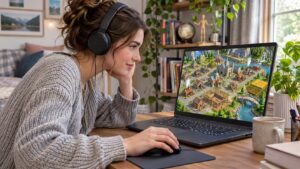
Building games can be divided into several categories based on their primary gameplay mechanics.
| Building game category | Gameplay focus | Examples |
| Sandbox building | Creative freedom and exploration | Minecraft Classic, Bloxd.io |
| Survival building | Resource gathering and protection | Vectaria.io, Mine Blocks |
| Competitive building | Rapid construction and combat | BuildNow GG |
| City building | Urban development and management | Stack City, The Final Earth 2 |
| Architectural building | House design and decoration | Craft World |
| Relaxing construction | Creative design without pressure | Townscaper |
| Construction experimentation | Building and destruction | Build and Crush |
Players interested in the logical and spatial planning aspects of construction may also enjoy puzzle games unblocked, where problem-solving and strategic thinking are central gameplay elements.
How to Play Building Games Unblocked Online Safely?
Most browser-based building games can be accessed through compatible internet browsers without installing additional software.
However, players should choose reliable gaming platforms and avoid websites that require unnecessary downloads, browser extensions or suspicious permissions.
To get started, open a supported browser, visit a reputable gaming platform, select your preferred building game and wait for the game to load. Choose an available gameplay mode and review the controls before beginning construction.
Players should also consider whether the game supports their device, whether progress can be saved and whether multiplayer features include interaction with strangers.
The term “unblocked” does not guarantee that a particular game will be accessible on every network. Schools and workplaces may restrict gaming websites, and players should respect their network usage policies.
The growing variety of browser-based experiences is one reason behind the increasing popularity of unblocked games, particularly among players who prefer convenient gaming without lengthy installation processes.
Can You Play Building Games Unblocked on a Chromebook?
Many building games are compatible with Chromebooks because they operate through web browsers rather than conventional gaming installations.
However, performance depends on the Chromebook’s processing capabilities, available memory, browser compatibility and network settings.
| Game | Chromebook suitability |
| Minecraft Classic | Compatible browser required |
| Bloxd.io | Generally suitable |
| BuildNow GG | May require better hardware |
| Vectaria.io | Hardware and connection dependent |
| Build and Crush | WebGL support may be required |
| Mine Blocks | Generally suitable |
| Craft World | May be demanding on basic devices |
| Townscaper | WebGL compatibility required |
| Stack City | Generally suitable |
| The Final Earth 2 | Generally suitable |
Two-dimensional construction games and simpler city-building simulations may perform better on lower-powered Chromebooks than complex three-dimensional multiplayer games.
These compatibility assessments are based on game requirements and complexity rather than direct Chromebook benchmark testing.
Do Building Games Unblocked Save Your Progress?
Progress-saving functionality varies considerably between building games.
Some browser games store construction progress locally, while others use account-based systems or multiplayer servers.
| Saving method | How it works |
| Browser storage | Progress is stored within the browser |
| Account-based saving | Creations are associated with a registered account |
| Multiplayer server saving | Progress depends on server and game settings |
| Temporary sessions | Progress may disappear after closing the game |
Before starting a large construction project, players should check whether their chosen game supports saving and how existing worlds can be restored.
Clearing browser cookies or website data may remove locally stored progress. Playing in private browsing mode may also prevent progress from being retained.
What Are the Benefits of Playing Building Games Unblocked?
Building games provide an engaging alternative to traditional action and arcade experiences by encouraging players to experiment with virtual environments.
Depending on their gameplay mechanics, these games offer opportunities to practise:
- Creative thinking: Developing original structures and architectural designs.
- Spatial awareness: Understanding how different construction elements fit together.
- Resource management: Making decisions with limited materials and virtual currency.
- Strategic planning: Developing settlements and defensive structures efficiently.
- Problem-solving: Identifying and correcting construction mistakes.
- Teamwork: Collaborating on multiplayer construction projects.
- Decision-making: Balancing competing objectives in simulation games.
These are gameplay opportunities rather than guaranteed educational or cognitive improvements.
Frequently Asked Questions
Are Building Games Unblocked Free to Play?
Many browser-based building games are free to play, although certain games may include advertisements, optional purchases or paid full versions.
What Is the Best Building Game Unblocked for Beginners?
Minecraft Classic is a strong option for beginners because it offers straightforward construction mechanics without complex survival requirements. Townscaper is another suitable choice.
Are There Building Games Unblocked Like Minecraft?
Yes. Bloxd.io, Vectaria.io, Mine Blocks and Craft World offer Minecraft-inspired gameplay involving block-based construction, exploration or resource gathering.
Can I Play Multiplayer Building Games Unblocked With Friends?
Yes. Bloxd.io, Vectaria.io and BuildNow GG support multiplayer experiences that allow players to interact or compete with friends.
Which Building Games Allow You to Construct Houses?
Minecraft Classic, Craft World, Mine Blocks and Vectaria.io allow players to construct customised houses using different building materials.
Are There Building Games Without Fighting or Survival Challenges?
Yes. Townscaper, Craft World and Minecraft Classic primarily offer creative construction experiences without compulsory combat objectives.
Do Building Games Unblocked Require Downloading Software?
Most browser-based versions do not require software installation. However, they may require technologies such as WebGL, JavaScript and a compatible internet browser.