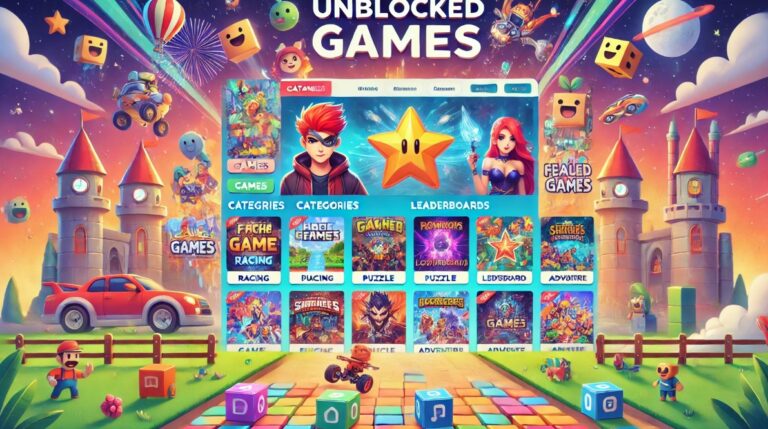
Creating an unblocked games website is an interesting project for anyone who wants to build a browser-based gaming platform, publish HTML5 games or develop an online gaming community.
The process involves more than uploading games to a website. Developers must consider hosting, website design, game licensing, loading speed, device compatibility and security.
Fortunately, beginners can create a basic gaming website using platforms such as Google Sites or GitHub Pages without advanced programming knowledge. Those planning to build a larger gaming business may prefer WordPress or a custom HTML5 website.
In this guide, we explain how to make an unblocked games website from scratch, including the tools, development methods, costs, game integration techniques and important steps for launching a reliable platform.
What Is an Unblocked Games Website?
An unblocked games website is an online platform that provides browser-based games which players can access without installing dedicated gaming applications.
These websites usually feature HTML5 games that run directly in modern browsers such as Google Chrome, Microsoft Edge, Firefox and Safari.
Unlike traditional gaming platforms that require large downloads, browser gaming websites allow visitors to choose a game and begin playing through a webpage.
Popular categories include arcade games, racing games, puzzles, sports games, platform games, multiplayer games and educational games.
For example, gaming collections such as Unblocked Games 66 feature a variety of browser-based titles designed for quick entertainment.
However, the term unblocked does not guarantee that a website will be accessible on every internet connection.
Schools, universities and workplaces may restrict gaming websites through network filtering systems. Website owners should respect those restrictions rather than promise universal access.
How Does an Unblocked Games Website Work?
Most unblocked gaming websites work by using HTML, CSS and JavaScript to display games within a standard web browser.
HTML structures the website, CSS controls its appearance, and JavaScript manages interactive features such as search, game selection and gameplay.
The actual games may be self-hosted HTML5 applications or embedded from developers who explicitly permit third-party distribution.
A properly developed gaming website should include separate game pages, category navigation, responsive layouts and accurate instructions for each title.
Players exploring collections such as Classroom 15x games will notice how individual games can offer different controls, objectives and device requirements.
How to Make an Unblocked Games Website Step by Step?
The easiest approach depends on whether the developer wants a small personal website or a professional gaming platform.
We recommend choosing the development method before purchasing hosting or adding games because every platform has different technical limitations.
Step 1: Choose the Right Website-Building Platform
Several website builders and development tools can be used to create a gaming website.
| Platform | Technical skill | Best suited for |
| Google Sites | Beginner | Simple game directories and authorised embeds |
| GitHub Pages | Basic HTML/CSS | Personal projects and static gaming demos |
| WordPress | Beginner–Intermediate | Content-rich gaming portals |
| Custom HTML5 website | Intermediate–Advanced | Fully customised game collections |
| Game portal software | Intermediate | Larger catalogues with automated management |
Google Sites is suitable for people who want a simple layout without managing hosting infrastructure. It provides a visual editor where pages, images and supported embedded content can be arranged.
GitHub Pages is useful for developers learning website development. It publishes static HTML, CSS and JavaScript files directly from a GitHub repository.
WordPress offers greater flexibility for content management, game categories, search engine optimisation and website administration.
From a web development perspective, the platform should be selected according to the website’s long-term requirements, not simply because its initial setup is free. A platform suitable for ten games may be difficult to manage when the catalogue expands to several hundred titles.
Step 2: Choose a Website Name and Domain
The website name creates the first impression of the platform.
A good gaming domain should be short, memorable, easy to spell and relevant to browser-based entertainment.
For example, hypothetical names might include:
- ArcadeNest
- QuickPlayHub
- PixelPlayZone
- BrowserQuest
- GameLaunchHub
These are naming examples, not verified available domains. Check domain availability and trademark conflicts before using one.
Common domain extensions include .com, .co.uk, .gg, .games and .io.
A custom domain is not essential for the initial development stage. Both GitHub Pages and Google Sites provide hosted website addresses, although their features and limitations differ.
For a professional project, a custom domain can make branding and future hosting migrations easier.
Step 3: Create a Basic Gaming Website Layout
Once the platform is selected, the next step is to create the website’s structure.
A gaming homepage should immediately communicate what visitors can play and how to find games.
The recommended navigation includes Home, All Games, New Games, Popular Games, Categories, About and Contact.
Individual game pages should include a clear game title, playable frame, instructions, controls, device compatibility information and related games.
A well-organised layout makes the platform easier to navigate and helps search engines identify different sections of the website.
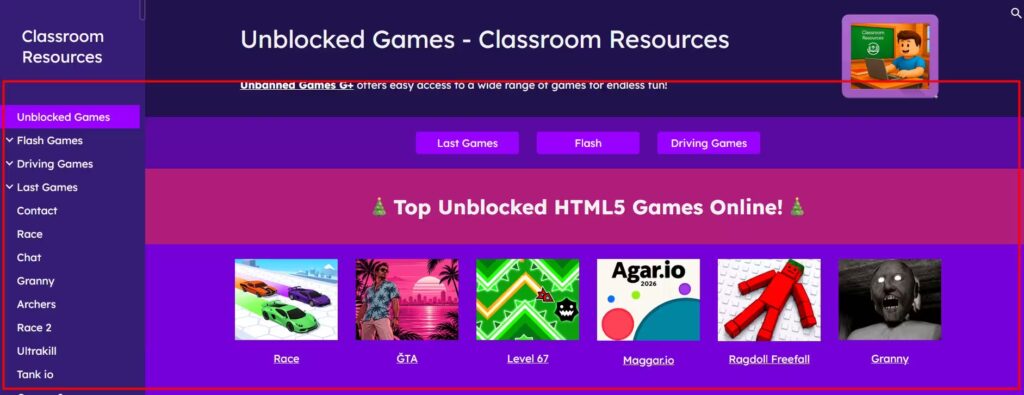
Example gaming website interface showing game categories, thumbnails and browser-based navigation.
Step 4: Build Your Website Using Google Sites or GitHub Pages
There are two straightforward ways to create a basic browser gaming website without purchasing a traditional hosting plan.
Method 1: Create an unblocked games website using Google Sites
Google Sites provides a visual website editor that does not require coding knowledge.
To create a gaming website:
- Open Google Sites and sign in with a Google account.
- Choose a blank website or an available template.
- Enter the website name and create a homepage.
- Use the Pages panel to add gaming categories.
- Add game thumbnails, descriptions and navigation buttons.
- Open Insert, select Embed and enter an authorised game URL or supported embed code.
- Resize the embedded content and preview the page.
- Select Publish and choose an available website address.
The platform is convenient for small collections of games. However, some game developers prevent their websites from being embedded, and complex games may require hosting capabilities that Google Sites does not provide.
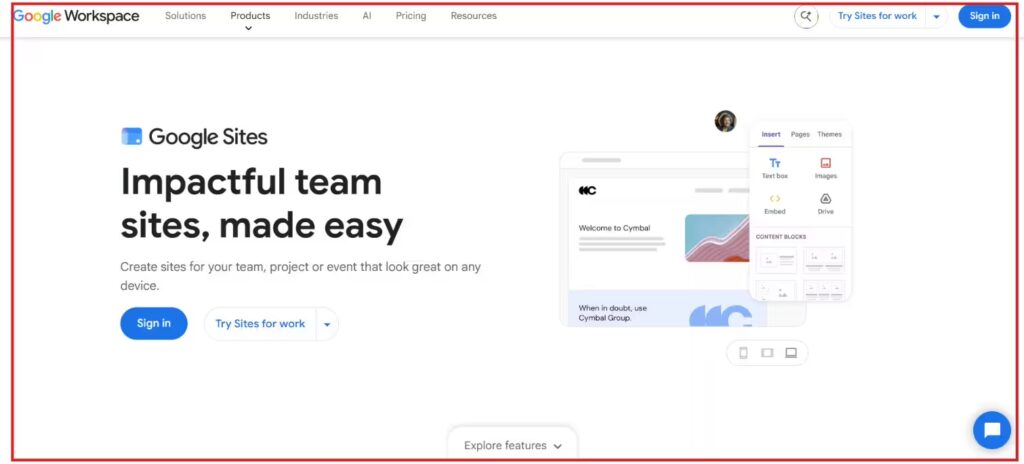
Google Sites editor showing the Insert menu and Embed option used to add browser-based content.
Method 2: Create an unblocked games website using GitHub Pages
GitHub Pages is another option for hosting a static gaming website.
It is particularly useful for developers who want to manage their own HTML, CSS and JavaScript.
To build a website:
- Create a GitHub account.
- Select New Repository.
- Name the repository github.io, replacing username with the account name.
- Create an html file containing the homepage.
- Upload the CSS, JavaScript and permitted game assets.
- Open the repository’s Settings section.
- Select Pages and configure deployment from the relevant branch and folder.
- Save the settings and open the published website URL once deployment completes.
GitHub provides detailed instructions through its official GitHub Pages documentation.
GitHub Pages supports static websites but not ordinary server-side applications such as PHP-based systems. Its standard published-site size limit is 1 GB, with other usage limits also applying. It is also not intended as free hosting for running an online business.
For this reason, GitHub Pages is better suited to educational and personal gaming projects than a large commercial gaming portal.
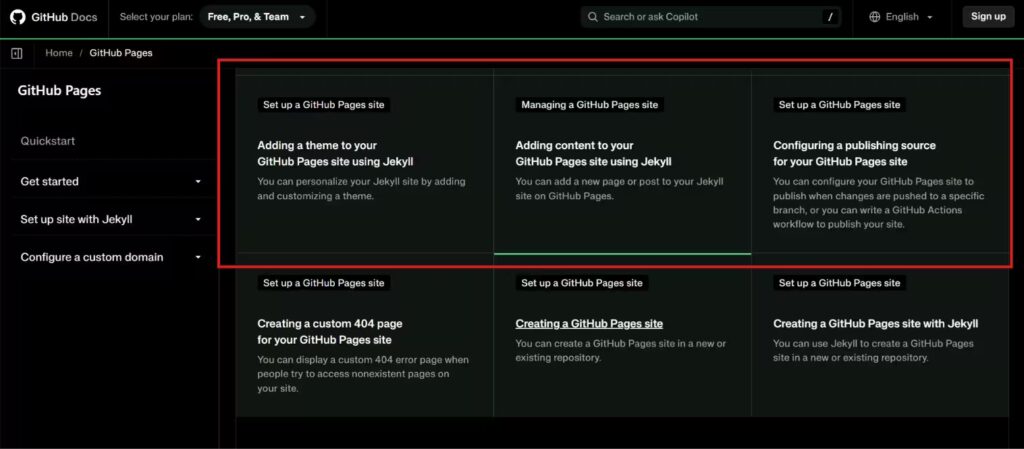
GitHub Pages documentation showing the steps for creating a repository and publishing a static website.
Step 5: Find HTML5 Games You Are Allowed to Publish
After creating the website, the next challenge is finding games that can legally be hosted or embedded.
Many beginners assume that free-to-play browser games can automatically be copied onto another website. However, free access does not necessarily grant redistribution or commercial hosting rights.
There are four main ways to obtain games.
Create original games: Developers can build their own browser games using JavaScript, Phaser, Godot’s web export capabilities or other suitable game development tools.
Use open-source games: Some developers publish games under licences that permit reuse. However, each licence must be checked individually because attribution, modification and distribution conditions differ.
Obtain permission from developers: Independent game developers may allow other websites to host or embed their games through a written agreement or published distribution terms.
Use authorised game embeds: Some game publishers provide embed codes intended for third-party websites.
A reliable game publisher should keep a record of the title, original developer, licence, permission source, permitted distribution method and whether advertising is allowed.
This is especially important when developing a commercial platform. Copying a game’s files, graphics or code without the necessary rights can create copyright problems even when the game is already playable for free elsewhere.
For a first website, original mini-games and clearly licensed HTML5 projects are safer starting points than uploading popular commercial titles from unknown repositories.
Step 6: Add Games to Your Website
Once games have been obtained legally, they can be integrated into the platform.
There are two main methods.
Self-hosted games:
For self-hosted HTML5 games, the developer uploads the game’s files to the website’s hosting environment.
Each game has its own folder, reducing confusion when new content is added.
Embedded games:
If the game developer permits embedding, the game can be displayed using an HTML iframe.
For example:
This example loads a game hosted in the website’s own directory. The referenced file must exist and contain a working game.
An external developer-authorised game URL can also be used, provided the publisher permits framing and the browser’s security rules allow it.
However, developers should understand that an iframe does not automatically bypass website restrictions. Some hosts use security headers to prevent embedding.
HTML5 is generally preferable to older Flash-based implementations because modern browsers no longer support Adobe Flash Player directly. Older game collections may require legitimate HTML5 conversions or compatible preservation technologies.
Readers interested in historical browser gaming can explore how Flash games unblocked differ from modern HTML5 releases.
Step 7: Organise Games Into Categories
A gaming website becomes difficult to navigate when every game appears in one long list.
Instead, games should be divided into clearly defined categories.
| Category | Suitable game types |
| Arcade games | Quick-reaction, jumping and survival games |
| Racing games | Driving, drifting and obstacle racing |
| Puzzle games | Logic, number, maze and matching games |
| Sports games | Football, baseball and basketball |
| Multiplayer games | Cooperative and competitive browser games |
| Educational games | Mathematics, memory and word games |
| Adventure games | Exploration, platforming and story-based games |
For example, a puzzle category can group games based on the problem-solving experience. Readers exploring puzzle games unblocked can see how titles such as 2048, Sudoku and Bloxorz provide different levels of strategic difficulty.
Multiplayer games should have their own category because some require online connectivity, player matchmaking or shared-keyboard controls.
A useful reference is the variety of titles covered in 2 player games unblocked, ranging from cooperative challenges to competitive sports experiences.
Every category page should contain a short introduction, relevant game cards and working links to individual game pages.
Avoid creating dozens of nearly identical categories merely to target slightly different search terms. Well-defined sections are more useful to both players and search engines.
Step 8: Improve Website Speed and Mobile Compatibility
Website performance is especially important for browser-based gaming platforms.
Unlike conventional blogs, gaming websites must load interactive assets while responding quickly to player inputs.
Large game files, unnecessary JavaScript, high-resolution images and excessive advertising can affect the gaming experience.
Google web performance specialists Addy Osmani, Katie Hempenius and Leena Sohoni have explained that third-party embeds can increase network usage, delay important resources and affect page stability.
Their published technical guidance supports loading embedded content efficiently rather than placing numerous active game frames on the homepage.
Useful performance improvements include:
- Compress game thumbnails and use modern image formats such as WebP.
- Load game files only when the visitor opens the relevant game page.
- Reduce unnecessary scripts and external dependencies.
- Reserve sufficient space for game frames to prevent layout shifts.
- Use HTTPS and a reliable hosting provider.
- Test touch controls and screen orientation on mobile devices.
- Provide a loading indicator for larger HTML5 games.
- Consider delaying offscreen embedded content where appropriate.
For instance, a homepage containing 30 game thumbnails will usually be easier to optimise than a homepage containing 30 simultaneously loaded games.
Developers should also test gaming performance on lower-powered laptops and Chromebooks, rather than relying exclusively on high-performance desktop computers.
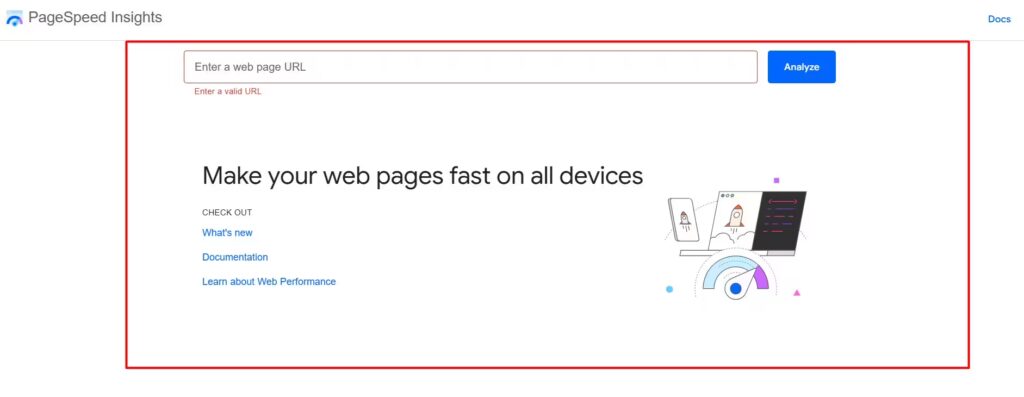
Google PageSpeed Insights results highlighting website performance and loading opportunities.
Step 9: Add Essential Website Features
A gaming website should provide more than a collection of clickable thumbnails.
Visitors need a consistent experience that helps them discover and play games without unnecessary interruptions.
Some of the most useful features include a game search bar, category filters, favourites, recently added games, clear control instructions and a fullscreen option.
Each game page should also include a short description explaining its objective. This is particularly useful for multiplayer games, which may require additional information about joining rooms or inviting friends.
Those developing multiplayer collections can examine how io unblocked games differ from ordinary single-player games in terms of competition and real-time interaction.
For a growing website, a reporting feature is also valuable. It allows visitors to flag broken games, unexpected redirects or inappropriate content.
A game request form can help publishers understand audience interests, but collecting email addresses or other personal information should be avoided unless genuinely necessary.
Step 10: Optimise Your Unblocked Games Website for SEO
Search engine optimisation can help potential players discover a new gaming website.
A common mistake is publishing hundreds of pages containing only a game title and an embedded iframe.
These pages provide little original information for search engines or visitors.
Instead, each important game page should contain useful, unique content, including the gameplay objective, controls, compatibility details, available game modes and troubleshooting advice.
Google Search Central’s guidance emphasises useful original content, crawlable navigation and accessible individual page URLs.
For example, an individual game page could use this structure:
| SEO element | Example |
| Page title | Puzzle Quest – Play Free HTML5 Puzzle Game |
| URL | /games/puzzle-quest/ |
| H1 | Play Puzzle Quest Online |
| Introduction | Brief description of the puzzle game |
| Game information | Controls, objectives and difficulty |
| Related content | Links to other puzzle games |
| Technical | Canonical URL, indexable HTML and metadata |
Publishers should also use descriptive image alt text, avoid duplicate descriptions and ensure that every important page is linked from a category or navigation page.
An XML sitemap can help search engines discover game pages. The sitemap should contain the canonical URLs of pages intended for indexing.
Once the website is publicly accessible, its sitemap can be submitted through Google Search Console.
However, submitting a sitemap does not guarantee that every game page will appear in search results.
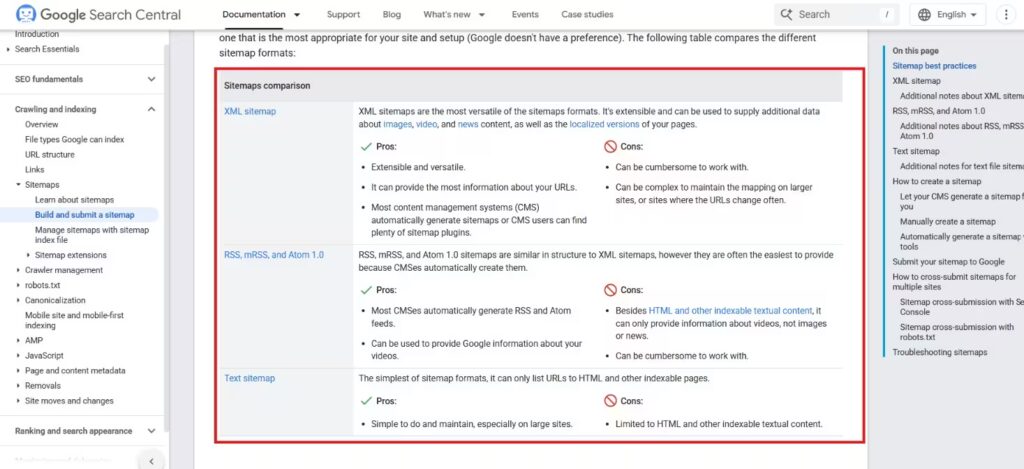
Google Search Console’s Sitemaps interface used to submit and review a website sitemap.
Step 11: Make the Website Safe and Respect Copyright
Security and legal compliance are among the most important aspects of running a gaming website.
The website should use HTTPS, avoid suspicious downloads and prevent misleading advertisements from appearing around gameplay controls.
Regularly review third-party scripts, hosting dependencies and embedded games. Avoid copying unknown JavaScript files into the website simply because they appear in another gaming repository.
Website operators should also provide an accessible contact method for reporting copyright concerns.
For platforms likely to be accessed by children, privacy requirements deserve particular attention.
In the UK, the Information Commissioner’s Office explains that online services likely to be accessed by children may fall within the scope of its Children’s code. This includes gaming services, even when children are not the intended audience.
The ICO’s official Children’s code guidance outlines relevant data protection standards.
Privacy-by-design measures may include minimising personal data collection, protecting user information by default and avoiding unnecessary behavioural tracking.
Website owners should also remember that a browser gaming website being accessible on a school or workplace network does not necessarily mean that the institution permits its use.
Step 12: Test and Launch the Website
Before publishing a gaming website, every major function should be tested.
A useful launch checklist is:
Testing should include Chrome, Firefox, Safari and Edge where relevant.
It is also helpful to check the website using different internet speeds and screen sizes.
After launch, monitor broken games, loading issues and visitor reports. A smaller collection of well-maintained games is generally more useful than a large collection containing unreliable or unauthorised titles.
How Much Does It Cost to Make an Unblocked Games Website?
The cost depends on the platform, domain, hosting requirements and whether the developer creates original games or obtains licensed content.
A small personal gaming website may be created without paying for conventional web hosting.
However, larger commercial platforms will usually require a dedicated hosting budget.
| Expense | Illustrative budget |
| Google Sites basic website | Free |
| GitHub Pages personal static project | Free within applicable terms and limits |
| Custom domain | Approximately £5–£25 per year |
| Entry-level web hosting | Approximately £5–£20 per month |
| Basic website theme | Free or paid |
| Original game development | Varies by complexity |
| Licensed game distribution | Depends on developer agreement |
| Security and maintenance | Depends on requirements |
These are approximate planning ranges, not provider quotations. Renewal charges, VAT, introductory offers and resource limits can change the actual cost.
For instance, a website with a custom domain costing £12 annually and hosting costing £10 monthly would have an illustrative infrastructure expense of £132 per year, excluding game development, licences and other operating costs.
A larger platform will need to account for bandwidth, game storage, development time, advertising compliance and ongoing content management.
Can You Make Money From an Unblocked Games Website?
Yes, a legally operated gaming website can potentially generate revenue, although earnings are not guaranteed.
Common monetisation methods include display advertising, direct sponsorships, affiliate partnerships and commercial game distribution agreements.
However, monetisation should only begin after the publisher has reviewed game licences, hosting terms, privacy requirements and advertising policies.
Several practical considerations can affect revenue:
- Advertising placement: Advertisements should not disguise themselves as gameplay buttons or interfere with game controls.
- Audience quality: Visitors who enjoy the games and return regularly may create more sustainable traffic than visitors arriving through misleading claims.
- Originality: A distinctive game library and useful player information can offer stronger long-term value than duplicating existing portals.
- Hosting restrictions: Free project-hosting platforms may not be suitable or permitted for commercial operations.
- Children’s privacy: Advertising and tracking practices may require additional controls where younger audiences are likely to use the service.
Rather than monetising immediately, a new publisher should first confirm that the games work reliably and that visitors can navigate the website safely.
What Problems Can Occur When Building an Unblocked Games Website?
Even a properly configured gaming website may experience technical problems.
| Problem | Possible cause | Recommended solution |
| Game displays a blank screen | Embedding prohibited or game files missing | Check permissions, browser console and game source |
| Website loads slowly | Large assets or excessive scripts | Compress files and defer unnecessary resources |
| Game does not work on mobile | Keyboard-only controls or unsupported features | Test compatibility and provide suitable alternatives |
| GitHub Pages shows a 404 error | Incorrect repository, publishing source or file path | Check repository settings and deployment paths |
| Audio does not start automatically | Browser autoplay restrictions | Start audio after a player interaction |
| Website is blocked on a network | Institutional content filtering | Respect the network’s acceptable-use policy |
| Game disappears | Developer removes access or a licence changes | Review the distribution agreement and replace the title where necessary |
When troubleshooting an iframe, checking browser developer tools can help distinguish between missing files, JavaScript errors, blocked external resources and security-header restrictions.
Trying to bypass these technical protections is not an appropriate substitute for obtaining permission from the game publisher.
What Do Many Unblocked Games Website Tutorials Miss?
Our review of currently discoverable guides, including UBGHub, UBGWorld, GitHub-based project tutorials and general game website creation resources, identified several areas where coverage varies significantly.
Some tutorials explain how to publish a basic gaming website but provide less practical detail about game licensing, commercial hosting limitations, long-term maintenance and data protection.
There are five considerations worth prioritising.
- Game ownership: A website’s ability to display a game does not prove that its owner has permission to redistribute it.
- Reliable hosting: A free website address does not guarantee permanent availability, unlimited bandwidth or support for commercial activity.
- Individual game quality: A gaming platform needs functional games, instructions, working controls and reliable loading, not merely a large collection of thumbnails.
- Search visibility: Pages containing almost identical game descriptions may offer little unique value to search engines.
- Long-term operations: Publishers need a process for reviewing broken embeds, responding to takedown requests, updating games and maintaining user security.
A sustainable browser gaming website should therefore be treated as a properly maintained publishing or software project, rather than simply a collection of copied game links.
Conclusion
Learning how to make an unblocked games website involves choosing a suitable development platform, obtaining games with the necessary rights, creating a user-friendly interface and maintaining reliable browser compatibility.
Google Sites can be a practical starting point for beginners, while GitHub Pages offers greater control over static HTML5 projects. WordPress and custom development provide additional possibilities for larger gaming platforms.
The most important factor is not how many games a website contains, but how well those games work for visitors.
By prioritising proper game licensing, fast loading speeds, original content, privacy protection and ongoing maintenance, developers can create an accessible browser gaming platform that offers lasting value.
FAQs About Making an Unblocked Games Website
Can I make an unblocked games website for free?
Yes. Google Sites and GitHub Pages can be used to create basic websites without conventional paid hosting. However, their limitations and terms must be considered.
Do I need coding skills to build an unblocked games website?
Not necessarily. Google Sites supports visual website creation, while WordPress can reduce development requirements. Custom HTML5 websites offer more control but generally require coding knowledge.
How do I make an unblocked games website on GitHub?
Create a repository, upload your HTML, CSS and JavaScript files, configure GitHub Pages and publish the project. Ensure all games and assets are appropriately licensed.
Can I add any online game to my website?
No. Games must be original, appropriately licensed or expressly authorised for hosting or embedding. Being free to play does not automatically mean a game is free to redistribute.
Can an unblocked games website work on Chromebooks?
Yes, many HTML5 games run on Chromebooks through supported browsers. However, compatibility depends on the game’s performance requirements, controls and network policies.
Will my gaming website automatically be unblocked at school?
No. Schools can restrict websites regardless of whether they use Google Sites, GitHub Pages or a custom domain. Browser compatibility and permission to access a website are separate issues.
What is the best platform for building an unblocked games website?
Google Sites is suitable for simple no-code projects, GitHub Pages for static development projects, and WordPress or custom hosting for more complex content-managed gaming platforms.