Yes, Xbox One can play Xbox 360 games, but only titles included in Microsoft’s backwards-compatible game catalogue. You cannot insert any Xbox 360 game and expect it to work.
Xbox One backwards compatibility supports selected physical and digital Xbox 360 games. If you own a compatible game digitally, it can appear in your Xbox library for installation.
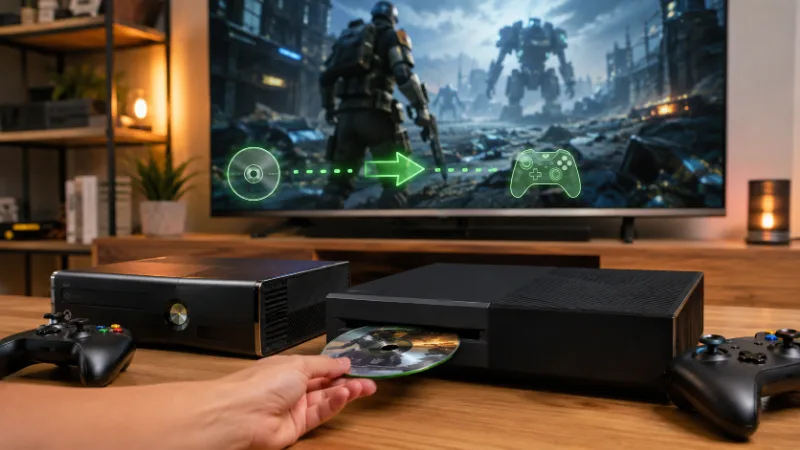
If you own a compatible Xbox 360 disc, inserting it into an Xbox One with a disc drive triggers a download of the version designed to run through backwards compatibility.
The main points are:
- Selected Games Work: Not every Xbox 360 title is backwards compatible
- Physical Discs Can Work: Supported discs can be used on Xbox One models with an optical drive
- Digital Games Can Work: Compatible games linked to your Xbox account can be downloaded
- Installation Is Required: Xbox 360 games are installed on the Xbox One rather than played directly from the disc
- Existing Ownership Counts: Xbox does not charge an additional backwards-compatibility fee for supported games you already own
Xbox officially states that Xbox One backwards compatibility is free and allows players to use selected Xbox 360 and original Xbox games they already own.
How Does Xbox One Backwards Compatibility Work?
Xbox One does not contain the same hardware as an Xbox 360, so backwards compatibility is handled through software designed to recreate the environment required by supported older games.
Microsoft introduced public Xbox 360 backwards compatibility for Xbox One in November 2015. The initial release supported 104 Xbox 360 games, with more titles added in subsequent years.
The important point is that an Xbox 360 game does not simply run directly from its original disc.
Playing Xbox 360 Games From A Disc
When you put a supported Xbox 360 disc into an Xbox One:
- The Console Identifies the Game: Xbox checks whether the title is supported through backwards compatibility
- A Compatible Version Downloads: The required game package is downloaded to the Xbox One’s storage
- The Game Installs Locally: Enough storage space must be available on the console
- The Disc Verifies Ownership: You normally need to leave the original Xbox 360 disc in the drive while playing
This means having the full game installed does not normally remove the need for the physical disc.
Xbox’s current backwards-compatibility guidance confirms that disc-based games in the supported catalogue are downloaded to the console’s hard drive and that the disc must remain in the drive for play.
Playing Digital Xbox 360 Games
The process is slightly simpler for digital games.
Compatible Xbox 360 titles you purchased digitally can appear in your library when you sign in to the Xbox One using the Microsoft account associated with the purchase.
You can then download and install the game without inserting a disc.
However, ownership and backwards compatibility are separate issues. Owning a digital Xbox 360 game does not automatically make it playable on Xbox One. The title still has to be included in the supported catalogue.
Xbox 360 Disc Vs Digital Game
| Feature | Xbox 360 Disc | Digital Xbox 360 Game |
| Backwards Compatibility Required | Yes | Yes |
| Installation Required | Yes | Yes |
| Physical Disc Needed | Usually yes | No |
| Game Download Required | Yes | Yes |
| Linked To Digital Account Ownership | Not primarily | Yes |
| Works If The Game Is Unsupported | No | No |
| Requires A Disc Drive | Yes | No |
For players building a collection of older games, this distinction matters. A cheap second-hand Xbox 360 disc is only useful on Xbox One if the specific game is supported.
Which Xbox 360 Games Work On Xbox One?
Hundreds of Xbox 360 titles were made backwards compatible during Microsoft’s programme, ranging from major franchises to smaller downloadable games.
Some well-known examples added to Xbox One backwards compatibility include:
- Assassin’s Creed II
- Borderlands
- Fallout 3
- Gears of War
- Gears of War 2
- Gears of War 3
- Mass Effect
- Mirror’s Edge
- Skate 3
- The Elder Scrolls IV: Oblivion
- The Witcher 2: Assassins of Kings
The list expanded considerably after the first 104 games were released in 2015. Xbox later added more than 70 Xbox 360 and original Xbox games in November 2021, describing that release as the final addition under the existing backwards-compatibility programme.
Microsoft said licensing, legal and technical limitations prevented it from continuing to add older titles indefinitely.
Do All Xbox 360 Games Work On Xbox One?
No. This is one of the most important limitations to understand when asking can Xbox One play Xbox 360 games.
Some games remain unavailable because of factors such as:
- Licensing Restrictions: Music, cars, brands, actors or other licensed material can complicate rereleases
- Publisher Rights: Microsoft may not have permission to distribute a compatible version
- Technical Limitations: Some games can depend on features that are difficult to reproduce
- Special Accessories: Games designed around unsupported peripherals may not work correctly
- Legal Restrictions: Rights involving older intellectual property can prevent a game from being added
Because of these differences, you should check the individual title before buying a used Xbox 360 game specifically to play on Xbox One.
How To Check If A Game Is Backwards Compatible?
The safest approach is to check Xbox’s current backwards-compatible games catalogue.
Before buying, confirm:
- The Exact Game Title: Similar names can belong to different releases
- The Correct Generation: Some games have both Xbox 360 and Xbox One versions
- The Correct Edition: Standard, collection and special editions may contain different content
- Disc Compatibility: Make sure your Xbox One model has a disc drive if buying physically
- DLC Availability: Add-ons can have different availability from the base game
This is more reliable than assuming that every popular Xbox 360 title was included.
Which Xbox One Models Can Play Xbox 360 Games?
Backwards compatibility is available across the main Xbox One family, although physical-disc support depends on the hardware.
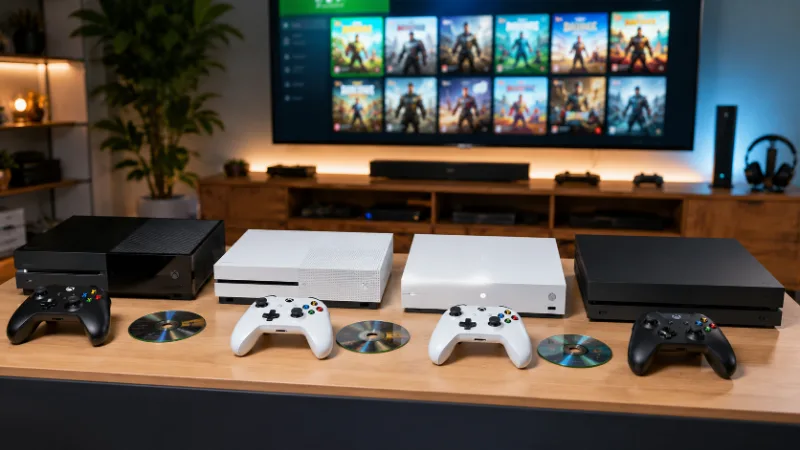
| Xbox Console | Compatible Xbox 360 Digital Games | Compatible Xbox 360 Discs |
| Xbox One | Yes | Yes |
| Xbox One S | Yes | Yes |
| Xbox One S All-Digital Edition | Yes | No |
| Xbox One X | Yes | Yes |
Xbox One
- The original Xbox One can play supported Xbox 360 games digitally or from compatible discs.
- A broadband internet connection is required for the initial backwards-compatible game download.
Xbox One S
- The standard Xbox One S also supports selected Xbox 360 games. It includes an optical disc drive, so compatible physical Xbox 360 games can be installed.
Xbox One S All-Digital Edition
- The Xbox One S All-Digital Edition is different because it has no optical disc drive.
- You can play compatible digital Xbox 360 games, but there is nowhere to insert an Xbox 360 disc. Microsoft’s Xbox One S specifications explicitly state that the All-Digital Edition does not play physical discs.
Xbox One X
- Xbox One X supports the same backwards-compatibility concept while also providing enhancements for selected older games.
- Microsoft released a number of Xbox 360 titles with Xbox One X enhancements, including games such as Fallout 3, Halo 3, Gears of War 3, Mirror’s Edge and The Witcher 2.
- Depending on the title, improvements can include higher resolution, increased texture detail or better image quality.
What Happens To Saves, Achievements, DLC And Multiplayer?
Playing Xbox 360 games on Xbox One involves more than simply getting the game to launch. Existing save files, achievements, downloadable content and online features can also matter.
Xbox 360 Save Data
Cloud-based Xbox 360 saves can be particularly useful when moving between generations.
If a compatible save is stored in Xbox cloud storage and you use the same Xbox account, supported backwards-compatible games may be able to synchronise that progress on Xbox One.
A save that exists only on an old Xbox 360’s local storage is different. It needs to have been transferred or uploaded through the appropriate Xbox 360 cloud-save system before it can be accessed elsewhere.
Players returning to a game after many years should therefore check their save location rather than assuming all old progress automatically follows the account.
Achievements And Gamerscore
Xbox achievements are associated with your Xbox profile.
Achievements and Gamerscore earned during the Xbox 360 generation can remain attached to the same profile when you move to Xbox One.
Backwards-compatible Xbox 360 games can also continue to use the Xbox 360 achievement system. You are effectively playing the older game through the newer console rather than receiving a completely separate Xbox One achievement list.
DLC And Add-Ons
Downloadable content is less predictable because availability depends on the individual game.
Possible situations include:
- Previously Purchased DLC Remains Available: Supported content may still be downloadable through your account
- Some DLC Has Been Delisted: Expired licences can remove individual add-ons from sale
- Complete Editions Can Differ: A bundle may package content differently from the original Xbox 360 release
- Base-Game Compatibility Does Not Guarantee Every Add-On: DLC should be checked separately when it is important to you
This is particularly relevant when buying older games primarily for expansion packs or additional story content.
Online Multiplayer
Backwards compatibility does not guarantee working multiplayer.
An Xbox 360 game can remain fully playable on Xbox One while its original online servers are unavailable.
Whether multiplayer works can depend on:
- Publisher Server Status
- Game-Specific Online Services
- Current Xbox Multiplayer Requirements
- Whether Local Multiplayer Is Supported
- Whether Peer-To-Peer Features Remain Functional
For older games, check the status of the individual title rather than treating backwards compatibility and online multiplayer as the same feature.
Did The Xbox 360 Store Closure End Backwards Compatibility?
No. The closure of the Xbox 360 Store did not end Xbox One backwards compatibility.
Microsoft stopped supporting new purchases of games, DLC and other entertainment content through the Xbox 360 Store and Xbox 360 Marketplace on 29 July 2024.
However, Microsoft specifically stated that the change would not prevent players from using Xbox 360 games or DLC they had already purchased.
Supported Xbox 360 games can also continue to run on newer Xbox consoles through backwards compatibility.
This creates an important distinction between three different things:
- Store Availability: Whether a game can currently be purchased
- Digital Ownership: Whether you previously bought the game
- Backwards Compatibility: Whether that game can run on Xbox One
A game can therefore be backwards compatible even if it is no longer available to buy.
Likewise, a previously purchased game can remain in a player’s account even after its original storefront listing disappears.
Can You Still Buy Xbox 360 Games For Xbox One?
Some Xbox 360 games that are backwards compatible can still be sold through newer Microsoft Store listings.
Other titles have been delisted and are no longer available for new digital purchases.
Physical copies can sometimes offer another route, provided:
- The Game Is Backwards Compatible
- Your Xbox One Has A Disc Drive
- The Disc Is Readable
- The Required Game Download Is Still Available
This is why physical Xbox 360 collecting can still be useful for Xbox One owners, although compatibility should always be checked before buying.
Latest Xbox Updates, Announcements And Ongoing Developments
Backwards compatibility is an older Xbox One feature, but game ownership and preservation remain active parts of Microsoft’s broader Xbox strategy.
New Disc-To-Digital Entitlements Announced In August 2026
On 26 August 2026, Xbox announced a new feature designed to give supported physical games a digital entitlement.
Xbox said players will be able to insert a supported disc into an Xbox One or Xbox Series X and claim a digital entitlement. Xbox Insiders are scheduled to begin testing the feature on 31 August 2026.
The announcement says most Xbox One and Xbox Series X disc-based games support the new feature, with thousands of titles expected initially.
Where supported, the digital entitlement can provide benefits such as digital access, Xbox Play Anywhere or Xbox Cloud Gaming when those features are available for the individual game.
For Xbox One owners, the important points as of 29 August 2026 are:
- The Feature Has Been Announced: Xbox revealed it on 26 August 2026
- Insider Testing Starts Later: Testing is scheduled to begin on 31 August 2026
- It Is Not A Replacement For Backwards Compatibility: Existing compatibility rules still determine whether an Xbox 360 game runs on Xbox One
- Support Varies By Game: Xbox has not said every physical legacy title will qualify
- Game Preservation Remains A Focus: Xbox describes the feature as part of its wider effort to preserve players’ libraries
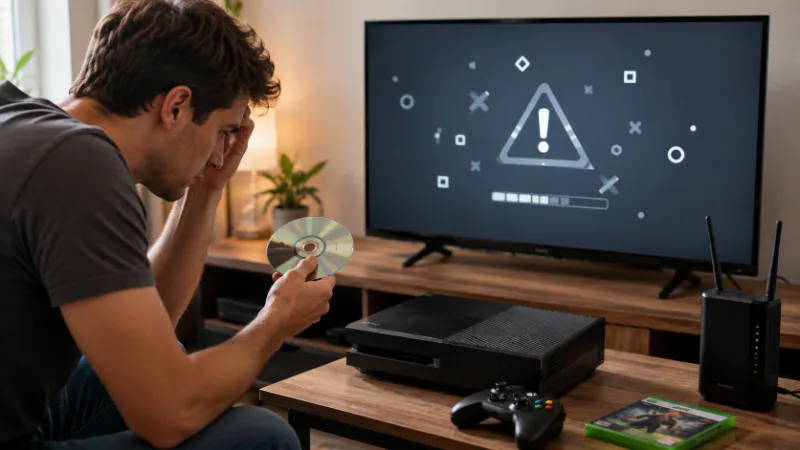
Why Won’t My Xbox 360 Game Work On Xbox One?
If an Xbox 360 game does not install or launch on Xbox One, the problem is not always the disc itself.
Work through the most likely causes first.
The Game Is Not Backwards Compatible
This is the most common explanation.
Owning a genuine Xbox 360 disc does not force Xbox One to support the game. If Microsoft never added the title to the backwards-compatible catalogue, it will not run through the feature.
The Console Cannot Download The Game
Physical backwards-compatible games still require a download.
Check:
- Internet Connection: Make sure the Xbox One is online
- Free Storage: Confirm there is enough room for the installation
- Xbox Service Status: Temporary service problems can interrupt downloads
- System Updates: Make sure the console software is current
The Disc Cannot Be Read
A scratched, cracked or heavily damaged disc may fail verification.
Clean the disc carefully with a soft lint-free cloth, wiping from the centre towards the edge rather than in circles.
If other discs work but one particular game consistently fails, the disc itself may be the problem.
You Are Using An All-Digital Console
The Xbox One S All-Digital Edition does not contain a disc drive.
Physical Xbox 360 games therefore cannot be used on that model, even when the game itself is backwards compatible.
You Own A Different Edition
Some games have multiple releases, collections or region-specific editions.
Check the precise title and edition rather than relying solely on the franchise name.
Can Xbox One Play Original Xbox Games Too?
Yes, Xbox One can also play a selection of games from the original Xbox generation.
Original Xbox backwards compatibility was added after Xbox 360 support, with Microsoft bringing selected older titles to the Xbox One family.
The catalogue is smaller than the Xbox 360 selection, but it provides access to games from an additional generation.
The same basic limitation applies: only games included in the backwards-compatible catalogue work.
For supported physical titles, a compatible disc can be inserted and the required game data downloaded. Digital copies can also work where available.
Original Xbox games can behave differently from Xbox 360 titles in areas such as achievements, online functionality and old save data, so the two generations should not be treated as identical.
Xbox One Vs Xbox Series X|S Backwards Compatibility
Players considering an upgrade may wonder whether their Xbox 360 collection can move beyond Xbox One.
Xbox Series X|S inherited Microsoft’s backwards-compatible catalogue, meaning supported Xbox 360 and original Xbox games can continue onto the newer generation.
There is an important hardware difference:
- Xbox Series X: Supports compatible physical discs and digital games
- Xbox Series S: Supports digital games only because there is no disc drive
Series consoles can also offer enhancements to selected older games, including features such as Auto HDR, improved resolution and FPS Boost.
For an Xbox One owner with a large physical Xbox 360 collection, a console with an optical disc drive remains particularly important.
Conclusion: Can Xbox One Play Xbox 360 Games?
So, can Xbox One play Xbox 360 games? Yes, but only when the game is part of Microsoft’s backwards-compatible catalogue.
Supported digital Xbox 360 games can be downloaded through the account that owns them, while compatible physical discs can be used on Xbox One models with a disc drive.
Disc games still require an installation, and the original disc normally remains necessary to verify ownership.
The main thing to remember is that backwards compatibility does not cover the complete Xbox 360 library. Licensing, technical and legal restrictions mean some games were never added.
The Xbox 360 Store closure in July 2024 did not remove backwards compatibility or stop previously purchased supported games from being played.
Xbox is also continuing to explore game preservation, including its newly announced disc-to-digital entitlement feature in August 2026.
Before purchasing an old game specifically for Xbox One, check its exact compatibility, edition, DLC availability and physical or digital requirements. Doing that first can prevent buying an Xbox 360 title that your Xbox One cannot actually run.
Frequently Asked Questions
Can You Put Any Xbox 360 Disc In An Xbox One?
No. Only Xbox 360 games included in the backwards-compatible catalogue will work. Unsupported discs cannot be made compatible simply by inserting them.
Do I Have To Buy My Xbox 360 Games Again On Xbox One?
Usually not. If you already own a supported digital title or a compatible physical disc, Xbox backwards compatibility itself does not require another purchase.
Does Xbox One Play Xbox 360 Games Directly From The Disc?
No. Xbox One downloads the compatible game package to its storage. The Xbox 360 disc normally remains in the drive to verify ownership.
Can Xbox One Play Xbox 360 Games Without Internet?
An internet connection is normally required for the initial backwards-compatible game download. Offline play afterwards depends on the individual game and licensing requirements.
Can Xbox One S Play Xbox 360 Games?
Yes. A standard Xbox One S supports selected Xbox 360 digital and disc games. The Xbox One S All-Digital Edition cannot use physical discs.
Can Xbox One X Play Xbox 360 Games?
Yes. Xbox One X supports compatible Xbox 360 games, and selected titles can also benefit from Xbox One X-specific visual enhancements.
Can I Still Download Xbox 360 Games After The Store Closure?
Previously owned compatible content can remain downloadable, while some backwards-compatible Xbox 360 games are still sold through newer Xbox storefronts. Availability varies by title.