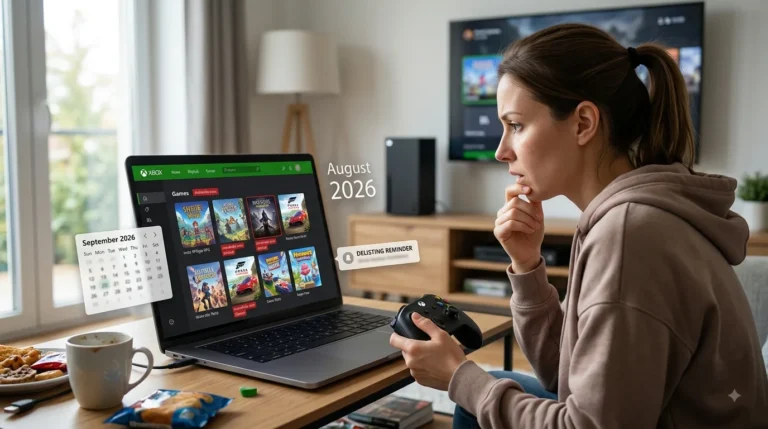

Xbox players looking forward to Call of Duty: Modern Warfare 4 (MW4) can now prepare for the beta before the full game arrives on 23 October 2026.
For anyone searching how to download MW4 beta Xbox, the process is straightforward. The beta is a separate download available through the Xbox Store for Xbox Series X and Xbox Series S. Players with an eligible digital pre-order are automatically registered for Early Access, while others can join the free Open Beta from 28 August.
How Do You Download the MW4 Beta on Xbox?
The easiest way to download the Modern Warfare 4 beta is directly through the Xbox Store.
On an Xbox Series X or Series S:
- Turn on the Xbox console.
- Sign in to the Microsoft account that has MW4 beta access.
- Open the Microsoft Store.
- Search for Call of Duty: Modern Warfare 4 Beta.
- Select the beta from the search results.
- Choose Install.
- Allow the download and installation to finish.
- Open My games & apps.
- Select Call of Duty: Modern Warfare 4 Beta.
- Choose Play once the beta servers are live.
The MW4 beta is downloaded separately through the platform’s digital storefront rather than simply being unlocked inside the full game.
Players preparing their console for the new Call of Duty can also check the latest Xbox Series X|S update information, particularly if their system has not been updated recently.
When Can Xbox Players Download the MW4 Beta?
The Early Access preload became available ahead of the first beta weekend, allowing eligible Xbox players to install the beta before servers open.
The important UK dates are:
| MW4 Beta Stage | Date | Who Can Play? |
| Early Access | 21–25 August 2026 | Eligible pre-orders and beta code holders |
| Open Beta | 28 August–1 September 2026 | All eligible Xbox players |
| Full MW4 Release | 23 October 2026 | Players who purchase the game |
Early Access begins at 11:00am Pacific Time on 21 August, which is 7:00pm BST in the UK.
Anyone who does not have Early Access does not necessarily need to buy the game just to try the beta. The second weekend is an Open Beta, with Activision confirming that no pre-order is required.
Do You Need to Pre-Order MW4 to Download the Beta?
A pre-order is required for the 21–25 August Early Access period unless the player has obtained an eligible beta code through another promotion.
Players who digitally pre-order Modern Warfare 4 through the Xbox Store do not need to look for a separate Early Access code. Activision says digital pre-orders are automatically registered for Early Access.
A pre-order is not required for the Open Beta running from 28 August to 1 September 2026.
This gives players two choices:
- Pre-order MW4: Play during Early Access from 21 August.
- Wait for the Open Beta: Download and play without a pre-order from 28 August.
Players who are unsure about buying MW4 can therefore wait for the public beta and test the game first.
How Do You Use an MW4 Beta Code on Xbox?
The process is slightly different when an Early Access code comes from a physical pre-order or participating retailer.
Physical pre-orders generally include an initial beta registration code on the receipt or in an email from the retailer. That code must first be redeemed through Activision rather than entered directly into the Xbox Store.
The process is:
- Sign in to the player’s Activision account.
- Visit Activision’s MW4 beta redemption page.
- Enter the Early Access beta code.
- Select Xbox as the platform.
- Make sure the selected region matches the Xbox account’s region.
- Complete the registration.
- Look for the platform-specific beta token.
- Redeem the Xbox token through the Microsoft Store if required.
- Search for and install the MW4 Beta.
Activision says beta tokens are also displayed through its beta redemption page once available, so players should check there if the expected email has not appeared.
Why Is the MW4 Beta Not Showing on Xbox?
If Call of Duty: Modern Warfare 4 Beta does not appear or cannot be installed, there are several possible explanations.
First, check that the correct Microsoft account is being used. Digital Early Access entitlement is linked to the account used to make the eligible pre-order.
Players using a retailer code should also make sure that the Activision registration process has been completed and that Xbox was selected as the intended platform.
Other steps worth trying include:
- Restarting the Xbox.
- Checking for console system updates.
- Reopening the Microsoft Store.
- Searching the full name rather than simply “MW4”.
- Checking the console has enough free storage.
- Confirming the beta access period has started.
- Verifying that the correct Xbox profile is signed in.
- Checking that a physical pre-order beta code was properly redeemed.
Activision also warns that beta access can vary by territory and retailer.
Can You Download the MW4 Beta on Xbox One?

No. Modern Warfare 4 is not being released for Xbox One.
Xbox officially lists the console version for Xbox Series X|S, with the game also available through Xbox on PC. Therefore, Xbox One owners should not expect an MW4 beta download for their console.
An Xbox Series X or Series S is required for the console version.
Is the MW4 Beta Free on Xbox?
The Open Beta is free to access without pre-ordering MW4 during its scheduled 28 August–1 September window.
Early Access is different. To start playing from 21 August, players generally need either:
- An eligible MW4 pre-order or pre-purchase.
- A valid Early Access beta code.
Activision notes that an internet connection is required and that an online multiplayer subscription may be required for multiplayer beta access.
Players should therefore check the current Xbox multiplayer requirements on their account before the beta begins.
Do You Need to Download the Beta Again for the Open Weekend?
Players taking part in both beta weekends should generally not need to download the entire beta again.
The existing installation can remain on the Xbox for the second weekend, although additional updates or content downloads may become available before the Open Beta begins. Beta content and progression are expected to carry between the two beta weekends.
Keeping automatic updates enabled can help ensure the installation is ready when the second weekend starts.
Can You Download the MW4 Beta Through the Xbox App on PC?
Yes. Modern Warfare 4 also supports Xbox on PC, and players can search for the MW4 Beta through the Xbox PC app.
The basic process is similar:
- Open the Xbox app on Windows.
- Sign in to the eligible Microsoft account.
- Open the Store.
- Search for Call of Duty: Modern Warfare 4 Beta.
- Select the beta.
- Choose Install.
- Launch it when the relevant access period begins.
Xbox Play Anywhere also applies to Modern Warfare 4 purchases made through supported Xbox stores, allowing eligible purchases to work across Xbox Series X|S and Xbox on PC.
What Is the Easiest Way to Get the MW4 Beta on Xbox?
For most Xbox Series X|S players, downloading the MW4 beta comes down to opening the Microsoft Store, searching for Call of Duty: Modern Warfare 4 Beta and selecting Install.
Players who pre-ordered digitally can access the Early Access period without needing a separate beta code. Those with physical pre-orders need to register their supplied code through Activision, while everyone else can wait for the free Open Beta beginning 28 August 2026.
The most important requirement is having an Xbox Series X or Series S, as Modern Warfare 4 is not coming to Xbox One.
Conclusion
Downloading the MW4 beta on Xbox is straightforward for players using an Xbox Series X or Series S. Those with eligible pre-orders can access the Early Access period, while other players can wait for the free Open Beta.
The beta can be found through the Microsoft Store, although retailer codes may first need to be redeemed through Activision. Checking storage space, account details and console updates beforehand can help avoid problems and ensure the beta is ready when servers open.
FAQs
How Much Storage Space Will the MW4 Beta Need?
The exact storage requirement may vary as updates are released. Players should keep plenty of free space available on their Xbox Series X|S before installing the beta.
Will MW4 Beta Progress Carry Over to the Full Game?
Beta progression is generally intended for testing and should not be assumed to transfer to the full Modern Warfare 4 release unless Activision specifically confirms otherwise.
Can Two Accounts Use the Same MW4 Beta Access?
Beta access is normally connected to the eligible Microsoft or Activision account. A second account may need its own entitlement, particularly for Early Access.
What Should Players Do if the MW4 Beta Will Not Launch?
Players should restart the console, check for updates, confirm their beta entitlement and make sure the relevant beta period is currently active.
Can the MW4 Beta Be Preloaded Before It Starts?
Yes, eligible players may be able to preload the beta before their access window begins, helping them avoid a large download when the servers go live.