Unblocked games have become a go-to source of entertainment for students and casual gamers seeking quick, accessible fun. Platforms like AZ Games offer browser-based titles that work on school and public networks without restrictions.
These games require no downloads and run smoothly on most devices, making them ideal for short play sessions. With a wide variety of genres available, AZ Games Unblocked provides safe, engaging options that suit different preferences, skill levels, and age groups.
Why Students Prefer AZ Games Unblocked?
AZ Games Unblocked has gained traction among students for several practical reasons that align with their daily academic routines and digital access limits.
One of the main reasons is that students often face restrictions when accessing gaming websites on school devices or networks. Most online games are blocked by firewalls designed to prevent distractions during learning hours.
However, AZ Games offers titles that are categorised as “unblocked”, meaning they are accessible even through strict network filters.
These games are typically built using modern web technologies such as HTML5 and WebGL, allowing them to run directly in a browser without requiring plugins or downloads.
This makes them compatible with a wide range of devices, including school-issued Chromebooks, Windows laptops, and tablets.
In addition to technical accessibility, the simplicity and variety of games make them appealing. From racing to puzzle-solving, AZ Games includes categories that cater to different interests and attention spans. Many students prefer quick, engaging sessions that can be enjoyed during a short break or free period.
Some key advantages include:
- Games run on low-spec devices, ideal for school hardware
- No need for installation or login, promoting user privacy
- Minimal advertising, reducing distractions and loading time
These qualities combine to make AZ Games Unblocked an ideal choice for school-age users looking for safe and convenient entertainment.
What Are AZ Games and Why Are They Unblocked?
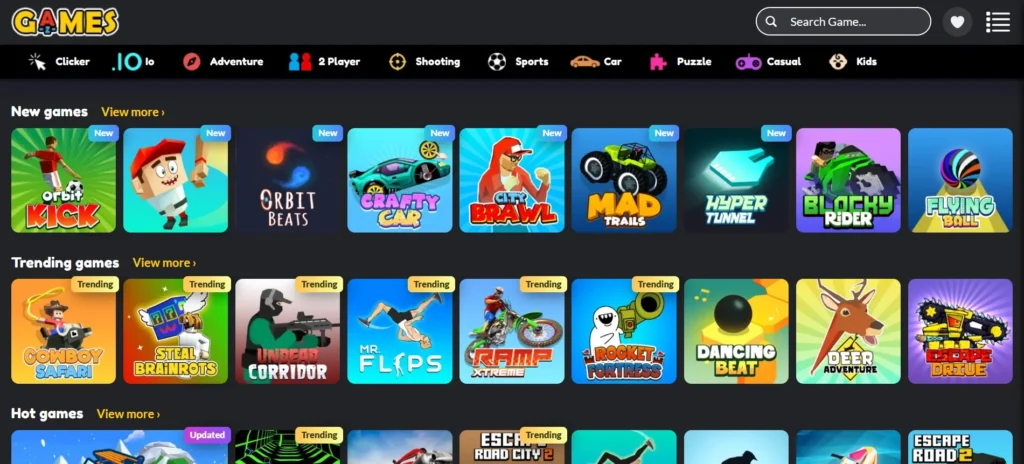
AZGames.io is a browser-based gaming platform that offers free online games across a range of genres. What makes this site stand out is its focus on accessibility and compliance with school and institutional firewalls.
Games listed as “unblocked” on AZGames.io are specifically designed or hosted in a way that avoids typical filtering criteria. This is achieved through:
- Secure HTTPS hosting, which is less likely to be blacklisted
- Lightweight games that do not require installation
- Avoidance of inappropriate content or aggressive advertising
Schools and institutions often block gaming websites using keyword filters, IP restrictions, or by blocking domains with Flash-based games.
AZ Games circumvents these limitations by offering modern games that do not depend on outdated plugins and which follow content safety standards.
Being unblocked also adds value for casual gamers at workplaces or libraries where recreational access is typically restricted.
Here is a table illustrating key differences between standard online games and unblocked games offered by AZ Games:
| Feature | Standard Online Games | AZ Games Unblocked |
| Requires download or plugin | Often | No |
| Works on school networks | Rarely | Yes |
| Built using HTML5/WebGL | Sometimes | Always |
| Content filtering issues | High | Low |
| Mobile device compatibility | Limited | High |
The platform is also consistently updated with new releases and improved game performance, ensuring a fresh and reliable experience.
Benefits of Playing Unblocked Games at School
While gaming in an academic setting may seem counterintuitive, when approached responsibly, it can offer meaningful benefits to students.
Unblocked games such as those on AZ Games serve as productive break-time activities. They provide cognitive stimulation without overwhelming the player, making them ideal for short play sessions.
Research has shown that light gaming between study sessions can improve:
- Memory retention
- Problem-solving skills
- Reaction time
- Stress relief and mood regulation
In classroom environments where students are given free periods or require breaks for better focus, these games offer a low-risk form of relaxation. They also encourage creativity, especially in puzzle and strategy-based titles.
From a behavioural perspective, unblocked games can foster digital responsibility. Since these games don’t require account creation or personal information, they encourage safe internet habits. Students learn to navigate browser-based content without engaging with potentially harmful sites.
Here are a few ways in which AZ Games supports healthy digital engagement:
- Encourages short gameplay with quick levels or time-based challenges
- Offers games that require logic and hand-eye coordination
- Provides multiplayer options that support collaboration and fair competition
With proper oversight, these benefits extend beyond mere entertainment, making AZ Games Unblocked a balanced inclusion in a student’s daily digital activities.
How to Access AZ Games Safely in School or Public Networks?

Accessing AZ Games Unblocked in restricted environments requires following secure and responsible browsing practices. While the games are generally accessible, schools and institutions may still monitor online activities.
To ensure a safe experience, students and casual gamers should follow these steps:
- Use trusted browsers like Google Chrome or Mozilla Firefox
- Visit only the official site: azgames.io
- Avoid proxy sites or third-party platforms that mirror the games
- Keep browser extensions minimal to reduce the risk of ad injection or malware
Most importantly, players should never attempt to bypass institutional filters using VPNs or illegal software, as this violates school policies and may result in disciplinary action.
Teachers and IT administrators can also take advantage of AZ Games’ structure by whitelisting the site or enabling specific games for classroom use. Doing so helps create a safe environment where students can enjoy approved content without external interference.
Below is a table highlighting safety measures for different user types:
| User Type | Recommended Actions | Security Benefits |
| Students | Use official site, avoid VPNs | Maintains compliance with school rules |
| Teachers | Whitelist trusted games from AZGames.io | Ensures content control |
| Parents | Monitor game usage during homework or breaks | Encourages time management |
| Casual Gamers | Enable browser safe mode and clear cache regularly | Protects from tracking and ads |
Following these steps ensures a secure and productive gaming experience that aligns with digital safety standards in schools and public spaces.
Top 12 AZ Games Unblocked for Students and Casual Gamers
1. Slope Rider
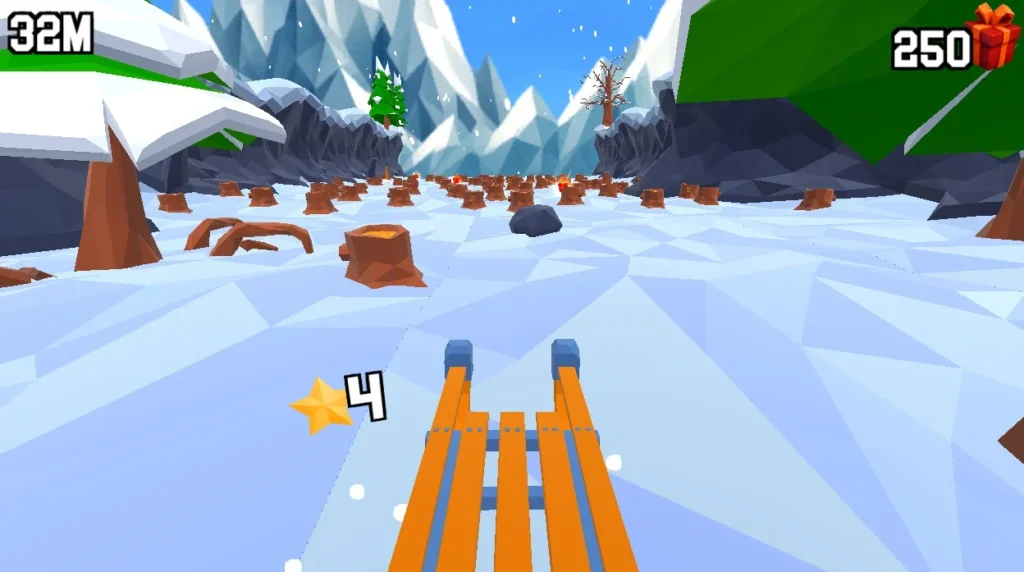
Slope Rider is a fast and engaging downhill racing game that challenges players to maintain control while travelling at high speeds. It relies heavily on timing, precision, and quick reactions, making it suitable for those who enjoy fast-paced gameplay.
How to Play: Players control a rider or ball descending a continuous slope. The goal is to stay on the track for as long as possible while avoiding obstacles and sudden drops.
Rules: Players must remain on the slope without falling off the sides while navigating obstacles that appear along the path. The aim is to survive for the longest possible time and try to improve their previous score by maintaining balance and adjusting movements at increasingly higher speeds.
Controls:
- Left arrow key to move left
- Right arrow key to move right
- Spacebar to pause
Recommended For: Suitable for students who enjoy reflex-based challenges and short, intense gaming sessions.
Game to Play: Slope Rider
2. Traffic Road
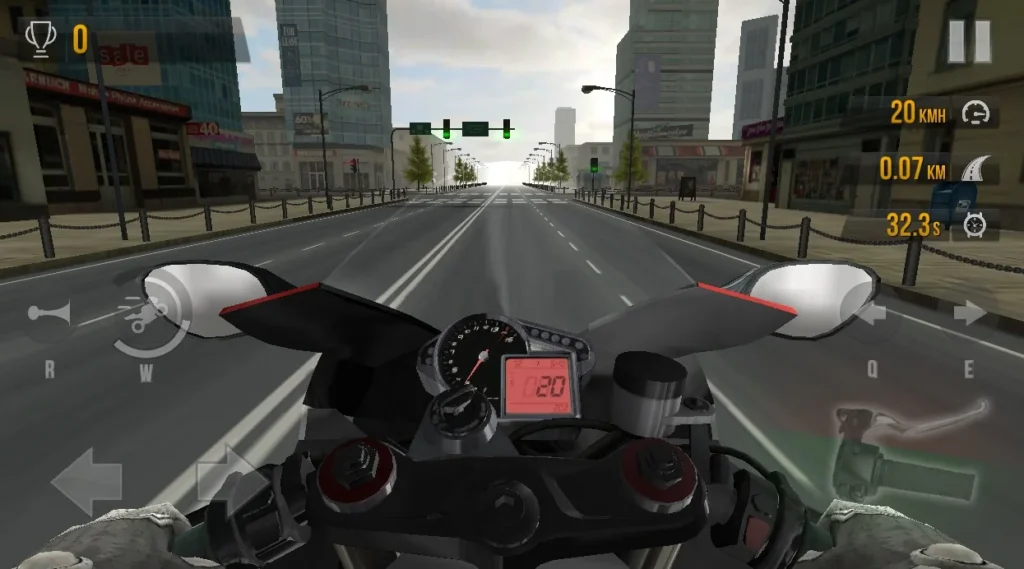
Traffic Road is a driving game where players navigate busy roads filled with fast-moving vehicles. It offers a realistic sense of movement and requires sharp reaction skills, making it a popular choice among casual gamers.
How to Play: Players control a car travelling forward on a multi-lane motorway. The goal is to avoid collisions while progressing as far as possible to achieve a higher score.
Rules: The player must stay within the lanes and avoid crashing into other vehicles or road barriers. Progression is determined by how long the player can keep the car moving without collision, with speed and traffic density increasing over time.
Controls:
- Left arrow key to move left
- Right arrow key to move right
- Up arrow key to accelerate
- Down arrow key to slow down
Recommended For: Ideal for players who enjoy driving simulations and want to test focus and coordination.
Game to Play: Traffic Road
3. Bike Xtreme

Bike Xtreme is a stunt-based motorbike game that combines speed, balance, and physics. Players navigate rugged terrain while performing controlled movements to avoid crashes and complete levels.
How to Play: Players ride a motorbike across challenging tracks filled with slopes, ramps, and obstacles. The objective is to complete each level safely while maintaining control of the bike.
Rules: The player must avoid falling off the bike while travelling across uneven terrain. Managing speed is essential to prevent flipping during jumps or steep inclines. Points or progress are awarded for maintaining stability and reaching the end of each track without crashing.
Controls:
- Up arrow key to accelerate
- Down arrow key to brake
- Left arrow key to tilt backwards
- Right arrow key to tilt forwards
- R key to restart the level
Recommended For: Best suited for players who enjoy physics-based games and stunt challenges.
Game to Play: Bike Xtreme
4. Escape Road 2
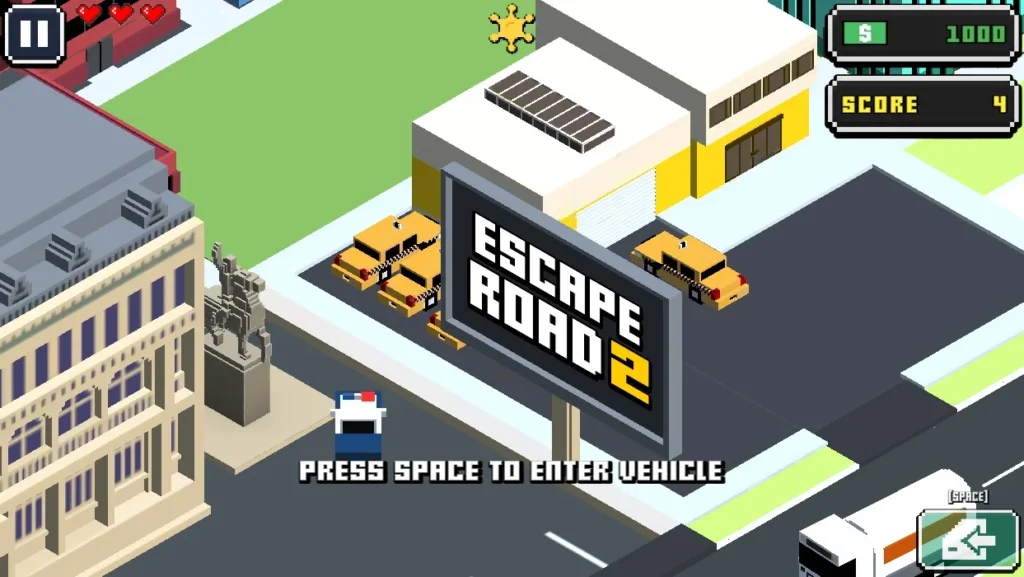
Escape Road 2 expands on the original Escape Road by introducing more intricate puzzles, obstacles, and time-sensitive pathways. The game blends racing with strategy, requiring careful planning and quick reactions.
How to Play: Players guide a car through narrow, complex roads containing traps, moving elements, and timed challenges. The goal is to reach the exit safely before time runs out.
Rules: Players must follow the set pathway while avoiding hazards that appear on the road. Certain sections require solving small movement-based puzzles to unlock the next part of the route. Completing the level within the given time is essential, and precision is required to avoid falling or hitting obstacles.
Controls:
- Arrow keys to move the car
- Spacebar for special interactions, depending on the level
- R key to restart
Recommended For: A good choice for players who enjoy strategic problem solving, timed challenges, and puzzle-oriented gameplay.
Game to Play: Escape Road 2
5. Golf Hit
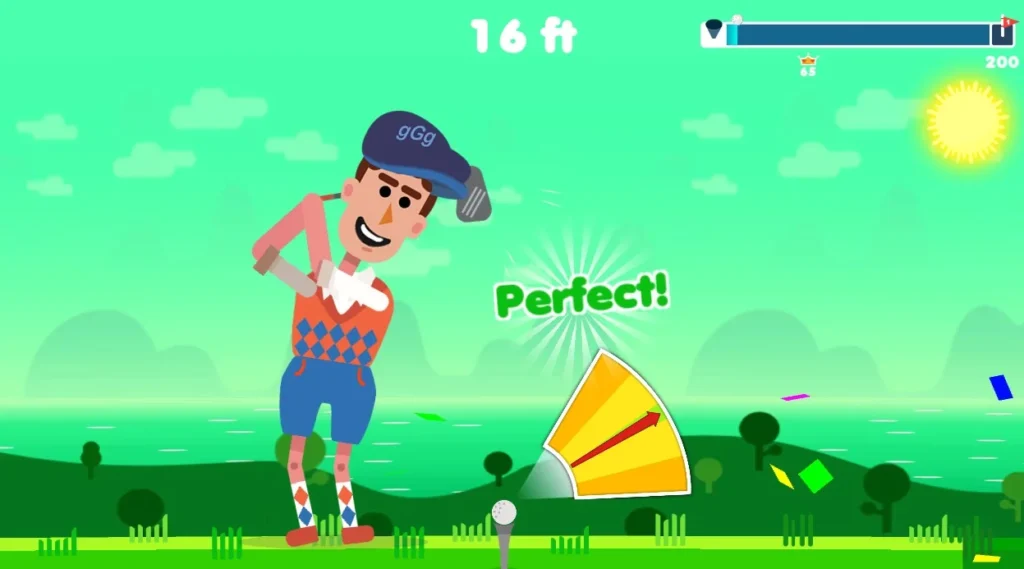
Golf Hit is a casual, physics-based game that focuses on precision and timing. It offers a minimalist design and straightforward controls, making it ideal for quick gameplay sessions. The game challenges players to hit a golf ball through increasingly difficult levels with obstacles, curves, and narrow lanes.
How to Play: Players aim to hit the ball towards a hole using calculated power and direction. The goal is to get the ball in the hole using the fewest strokes possible, with each level introducing new challenges.
Rules: Players must complete each level by sinking the golf ball into the hole within a limited number of attempts. The layout changes from level to level, requiring careful adjustment of the shot’s power and angle. Obstacles and moving barriers may be introduced in later levels, adding complexity to the shots.
Controls:
- Mouse or trackpad drag to aim
- Release to shoot the ball
- Restart option available after failed attempts
Recommended For: Perfect for students who enjoy accuracy-based games and logical thinking. It’s also ideal for quick, relaxing sessions between tasks or lessons.
Game to Play: Golf Hit
6. Snow Road
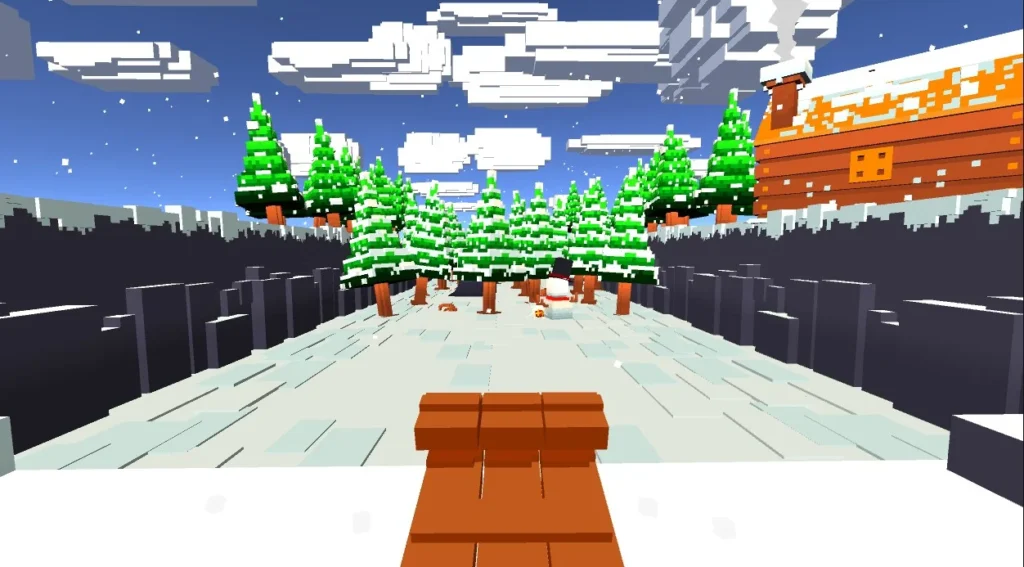
Snow Road is a winter-themed racing game set on icy, snow-covered tracks. It requires players to navigate slippery paths, avoid obstacles, and maintain control at high speeds. The visual aesthetics and smooth mechanics make it an enjoyable option during the colder months or for those who like seasonal themes.
How to Play: Players race along snow-covered roads filled with hazards like ice patches, snowbanks, and narrow bridges. The aim is to complete the course while collecting coins and avoiding crashes.
Rules: Players must stay on the snowy path while avoiding collisions with obstacles or sliding off the edges. Precision in movement and timing is critical due to the reduced grip caused by the icy surface. Levels often increase in difficulty with sharper turns and narrower roads as the game progresses.
Controls:
- Arrow keys for steering
- Spacebar to brake
- Shift key to boost (if available in level)
Recommended For: Great for players who enjoy racing games with a unique seasonal twist and want to test their control skills under simulated slippery conditions.
Game to Play: Snow Road
7. Head Soccer 2024
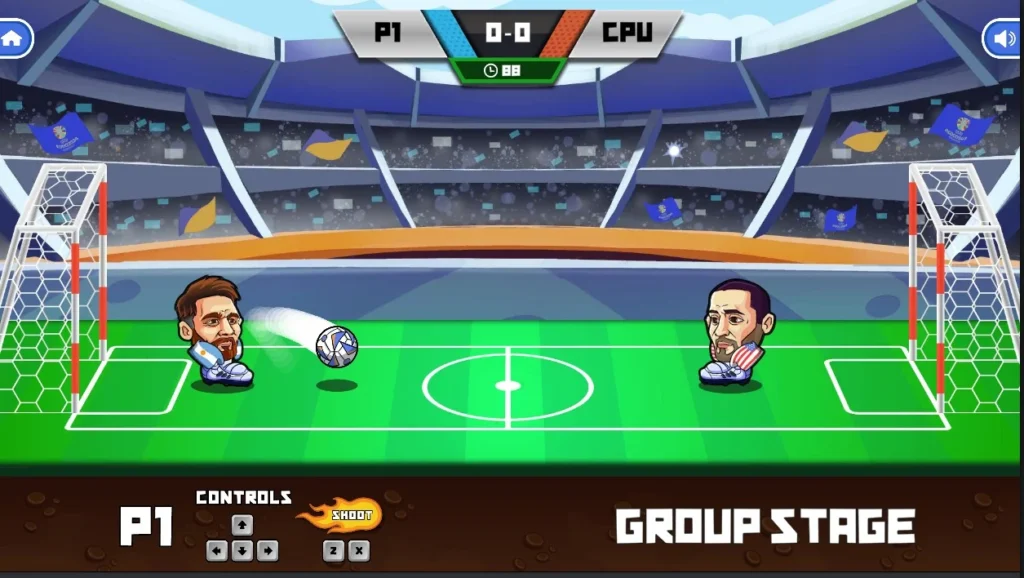
Head Soccer 2024 is a fun, arcade-style football game where players control big-headed characters in one-on-one matches. It offers fast-paced action, power-ups, and humorous gameplay. The updated 2024 edition includes smoother animations, new character skins, and improved responsiveness.
How to Play: Players choose a character and compete in short football matches, aiming to score more goals than their opponent within the time limit. Each player can use jumps, kicks, headers, and power moves to score or defend.
Rules: Players must outscore their opponent within the allocated match time. Fouls, offsides, or other traditional football rules do not apply. Power-ups appear randomly and can either assist the player or make the opponent’s actions harder. Winning unlocks new characters or stages.
Controls:
- Arrow keys to move
- Spacebar to shoot or kick
- Up arrow to jump
- Special key (varies by version) for power moves
Recommended For: Excellent for football enthusiasts and casual gamers who enjoy quick, competitive matches. Also suitable for multiplayer play, either locally or online, where supported.
Game to Play: Head Soccer 2024
8. Escape Road
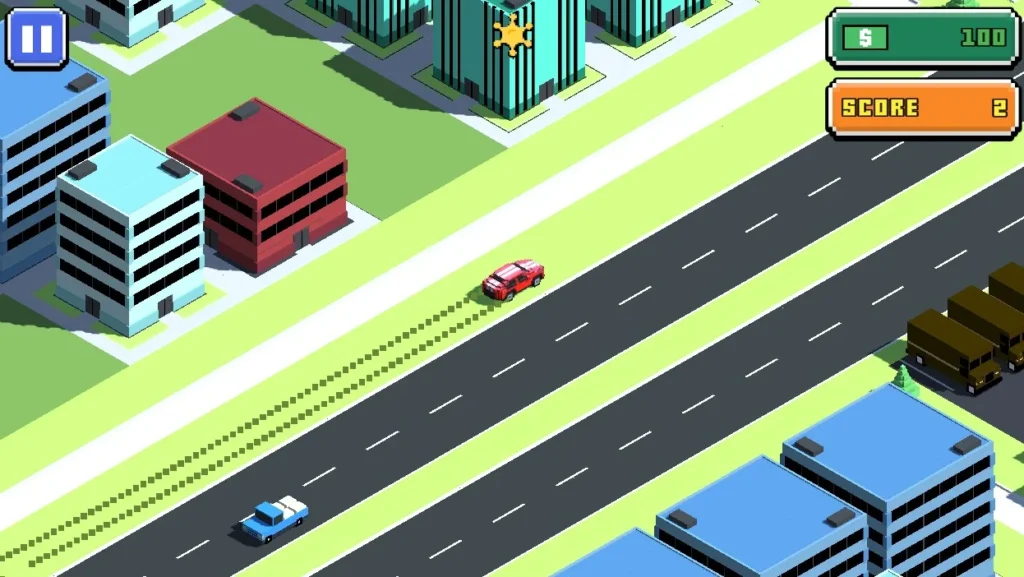
Escape Road is the original game in the Escape Road series. Compared to its sequel, it offers a simpler structure and fewer time-based puzzles, making it ideal for new players or those seeking a more relaxed challenge. The gameplay focuses on guiding a car through narrow roads with various obstacles.
How to Play: Players must navigate a car through a series of mazes and narrow tracks to reach the finish line. Timing and direction are key to avoiding traps and dead ends.
Rules: The player needs to follow the route carefully while avoiding any roadblocks or hazards that could end the level prematurely. Some routes have switch-operated doors or moving platforms that require specific timing. Although the pace is slower than the sequel, accuracy is just as important.
Controls:
- Arrow keys to move
- R key to restart the level
- Spacebar may be used for special functions, depending on level design
Recommended For: Best suited for beginners or players who enjoy calm yet strategic driving games. It’s also ideal for improving directional awareness and planning skills.
Game to Play: Escape Road
9. Geometry Dash
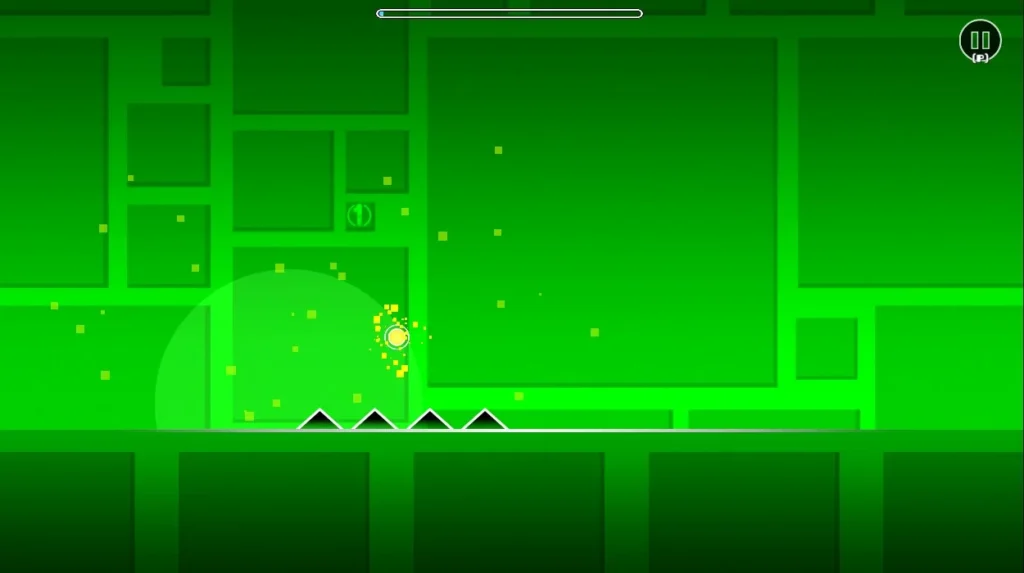
Geometry Dash is a rhythm-based arcade game known for its fast pace, challenging levels, and electronic soundtrack. Players must guide a square-shaped character through a series of obstacles by jumping and timing movements to the beat of the music.
How to Play: The player controls a geometric block that automatically moves forward. The objective is to jump and avoid spikes, gaps, and rotating hazards. Timing is crucial, as most movements must sync with the rhythm of the music to succeed.
Rules: Players must reach the end of each level without crashing into obstacles. There are no second chances within a level; any mistake will restart the game from the beginning. Success depends entirely on precise timing and memorisation of the obstacle patterns, as the speed increases in more advanced levels.
Controls:
- Spacebar or left mouse click to jump
- Hold for continuous jumping
- Keyboard or touch controls depending on device
Recommended For: Ideal for players who enjoy rhythm games, platformers, and fast-paced challenges that require focus and quick reactions. It also appeals to those who enjoy music-integrated gameplay.
Game to Play: Geometry Dash
10. Stickman Hook

Stickman Hook is a physics-based swinging game where players control a stickman using a grappling hook to swing from one point to another. The game is simple to learn but offers increasing difficulty as levels progress, with unique momentum-based gameplay.
How to Play: Players click or tap to release the grappling hook and swing through each level. The aim is to build momentum, avoid falling, and reach the finish line as quickly as possible. Each level has multiple hooks, platforms, and gaps that require good timing and rhythm.
Rules: The player must avoid touching the bottom of the screen or falling off the course. Swinging from one point to another requires proper timing to maintain momentum and direction. If the stickman loses grip or mistimes a swing, they must restart the level.
Controls:
- Mouse click or spacebar to activate the hook
- Hold to continue swinging
- Release to jump or drop
Recommended For: Great for players who enjoy simple yet challenging mechanics, particularly those with an interest in physics-based games. It’s also ideal for students who like short, skill-driven sessions that require concentration and timing.
Game to Play: Stickman Hook
11. Basketball Stars
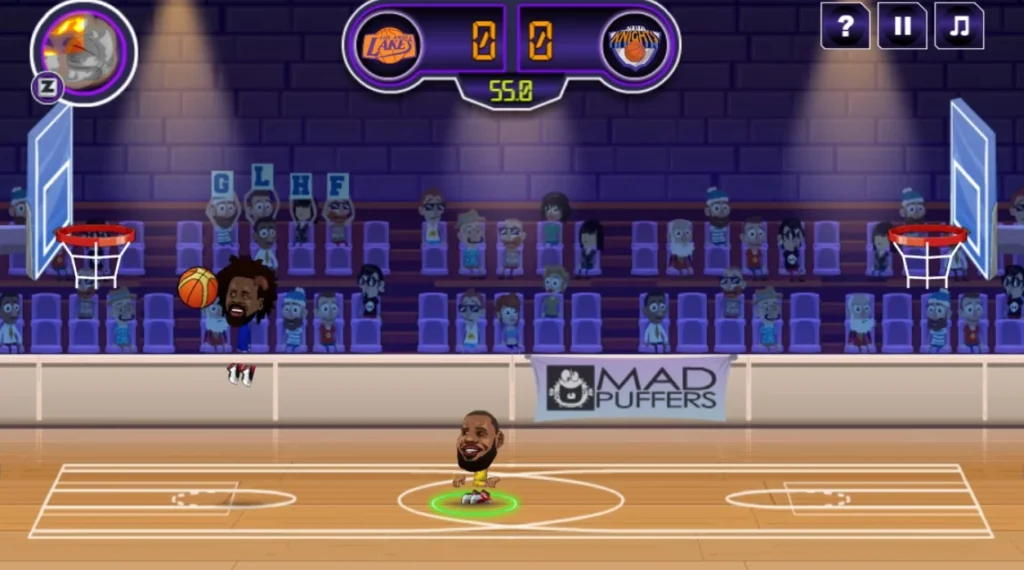
Basketball Stars is a two-player basketball game that allows users to compete in one-on-one matches or in tournament mode. It features stylised characters, quick gameplay, and the option to play solo or with friends.
How to Play: Players choose their basketball character and enter a match. The goal is to score more points than the opponent by shooting, stealing, and blocking within a timed game.
Rules: The player must outscore the opponent within the game’s time limit. Players can steal the ball, perform slam dunks, and use special moves depending on the character. Matches are fast-paced and require a combination of offensive and defensive skills. The player must manage energy levels and avoid fouling or leaving open space for counterattacks.
Controls:
- Arrow keys to move
- A key to shoot
- S key to steal or block
- D key for a special move
- Controls vary slightly between single and multiplayer modes
Recommended For: Best for students and casual gamers who enjoy competitive sports games. It’s especially appealing to players who like multiplayer gameplay and short match formats.
Game to Play: Basketball Stars
12. Shell Shockers
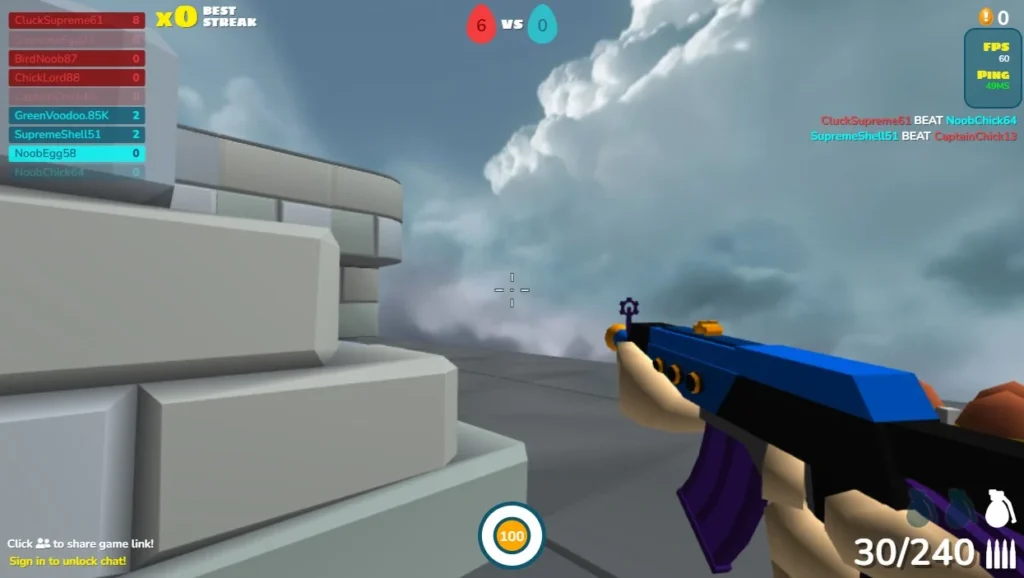
Shell Shockers is a unique first-person shooter where players control eggs equipped with a range of weapons. The game blends classic shooter mechanics with humorous visuals, creating a distinctive multiplayer experience.
How to Play: Players join a live multiplayer arena and battle against others using various weapons. Each player is an egg and can choose from different classes like Eggsploder or Scrambler, each with specific weapon types.
Rules: The objective is to eliminate opponents while surviving as long as possible. Players must monitor health, reload times, and map awareness. There are no respawns in some modes, so strategic movement and timing are essential. Teams or solo modes are available depending on the player’s preference.
Controls:
- W, A, S, D to move
- Mouse to aim and shoot
- Spacebar to jump
- R to reload
- Number keys to switch weapons
Recommended For: Highly recommended for players who enjoy multiplayer combat and FPS-style games. Its unique theme and fast-paced action make it a favourite among older students and casual gamers looking for engaging online matches.
Game to Play: Shell Shockers
Mobile vs Desktop Experience with AZ Games
AZ Games Unblocked is compatible with both mobile and desktop platforms, but the user experience can differ based on device capabilities.
On mobile devices, the touch interface offers convenience, especially for simple games like puzzles or tapping challenges. However, some action or strategy games that require precise control may be harder to play.
Desktops provide a more robust gaming experience. Keyboard and mouse controls allow for better accuracy in movement-based games like racing or platformers. The larger screen also enhances visibility and immersion.
Below are a few distinctions between mobile and desktop gameplay:
- Control flexibility: Desktops offer more control options, making them ideal for competitive or multiplayer games
- Performance consistency: Laptops and PCs generally have more RAM and processing power, which reduces lag
- Multitasking ability: Desktop browsers support multiple tabs and game windows better than mobile
Mobile, however, has its own benefits:
- Quick access without logging into a system
- Games can be played during transit or while relaxing
- Battery-efficient games available for low-resource devices
Overall, while both platforms support AZ Games effectively, casual players looking for maximum control and speed often prefer desktop gaming, whereas students on-the-go favour mobile for its accessibility.
What Are the Tips for Casual Gamers to Get the Most Out of AZ Games?

Casual gamers can maximise their enjoyment and performance on AZ Games Unblocked by optimising their gameplay environment and developing good digital habits.
A few practical tips include:
- Play during designated break times to maintain a balanced routine
- Close background applications or tabs to boost game performance
- Adjust browser zoom for better visibility on smaller screens
- Try different genres to find games that match your pace and preference
Many games also allow users to track scores or challenge others. While AZ Games doesn’t require an account, maintaining your own performance log can make gameplay more rewarding over time.
Additionally, casual gamers benefit from exploring games that don’t demand long play sessions. Games with levels or checkpoint-based systems are ideal for intermittent play, fitting neatly into short breaks.
Some of the best game types for casual players include:
- Puzzle games that improve logic and memory
- Racing games that sharpen reflexes
- Arcade-style shooters for short bursts of excitement
- Sports games that simulate real-world challenges in a fun format
These strategies help players maintain an enjoyable gaming habit without allowing it to disrupt academic or professional obligations.
Conclusion
As digital classrooms and online learning become more integrated, the role of unblocked gaming platforms like AZ Games continues to grow.
These games not only provide entertainment but also support cognitive development, stress relief, and digital literacy among students.
For casual gamers, they offer instant access to enjoyable titles without the hassle of downloads or fees.
Whether it’s a quick race on Slope Rider or a competitive session on Shell Shockers, AZ Games Unblocked remains a top-tier option for school-safe, browser-based gaming in the UK.
FAQs
Are AZ Games legal to play in school?
Yes, AZ Games features browser-based games that are unblocked and generally safe for school networks. However, it’s always best to follow individual school policies.
Do unblocked games have viruses or ads?
Trusted platforms like AZGames.io use secure HTTPS connections and minimal ads. Still, users should avoid unknown third-party sites.
Can multiplayer AZ games be played on a school network?
Yes, some titles like Shell Shockers and Basketball Stars support multiplayer. These games require stable internet connections but usually work on school networks.
Which AZ games are best for quick breaks between classes?
Games like Golf Hit, Geometry Dash, and Stickman Hook are ideal for 5–10-minute sessions, offering quick satisfaction without long loading times.
Are these games suitable for children under 13?
Most AZ games are simple and non-violent, but parental or teacher supervision is recommended for younger players.
Can I play AZ games on a Chromebook?
Absolutely. AZ Games are HTML5-based and fully compatible with Chrome OS.
Do I need to download anything to play AZ games unblocked?
No. All games are played in the browser with no installation required, making them ideal for school and public use.